So far in this series, we’ve used simple data types such as u64, u128 and bool. These simple types hold a single value. In contrast, composite types are data structures built by combining other types, so a single value can contain multiple pieces of data. In this article, we’ll discuss commonly used composite types on ICP, which include:
| ICP / Rust type | Solidity equivalent |
|---|---|
Principal |
address |
Vec<T> |
T[] (dynamic array) |
HashMap<K, V> |
mapping(K => V) |
struct |
struct |
To follow along the code examples, create a new Rust canister project called composite_types:
dfx new composite_types --type rust --no-frontend
The Principal Type (address)
Principal is the type used to identify both users (wallets) and canisters(smart contracts) on the Internet Computer.
- Example of a Wallet Principal:
hpikg-6exdt-jn33w-ndty3-fc7jc-tl2lr-buih3-cs3y7-tftkp-sfp62-gqe - Example of a Canister Principal:
uqqxf-5h777-77774-qaaaa-cai
Since Principal is not a built-in Rust type, it must be imported from the candid crate, which defines ICP’s core data types.
use candid::Principal;
In lib.rs, add a thread-local static variable named FOO and set its type to RefCell<Principal>.
Initialize it with Principal::anonymous(), which represents the anonymous principal (2vxsx-fae):
use candid::Principal;
use std::cell::RefCell;
thread_local! {
static FOO: RefCell<Principal> = RefCell::new(Principal::anonymous());
}
This initialization is intentional. On the Internet Computer, calls that are not authenticated execute under the anonymous principal.
The ICP blockchain accepts unsigned transactions as valid state-changing transactions. The reason for this design will be explained in the Reverse Gas Model article later in this series. When a call is unsigned, it runs as the anonymous principal (2vxsx-fae), which effectively serves as the caller’s address. Since ICP does not have a zero address like Ethereum, the anonymous principal is commonly used as a conceptual equivalent.
Reading a Principal Variable
Add a query function get_foo() that reads the FOO variable and returns a Principal.
use candid::Principal;
use std::cell::RefCell;
thread_local! {
static FOO: RefCell<Principal> = RefCell::new(Principal::anonymous());
}
// new code here
#[ic_cdk::query]
fn get_foo() -> Principal {
FOO.with_borrow(|cell| cell.clone())
}
ic_cdk::export_candid!();
Deploy the canister above and query get_foo(), it should return the anonymous principal: 2vxsx-fae .
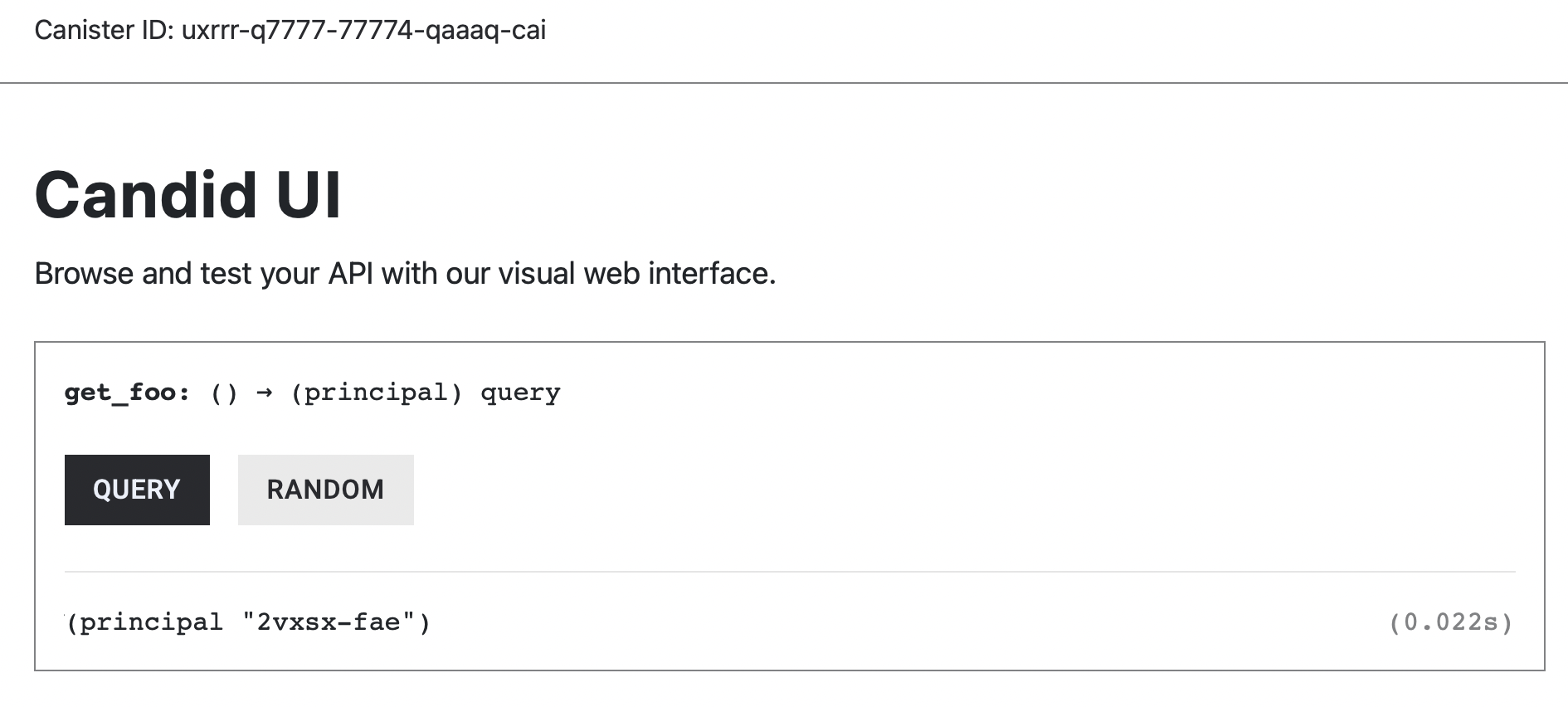
Notice that we used .clone() to access FOO instead of the * dereference operator.
FOO.with_borrow(|cell| cell.clone()) // ✅
Why we use .clone() instead of the dereference operator ?
In Rust, Principal is a non-copy type. This means its value cannot be implicitly duplicated.
Using the dereference operator (*) would attempt to move the value out of the RefCell, which is not allowed when only a shared borrow is available. To return the value without transferring ownership, we explicitly call .clone(), which creates a new copy of the Principal.
Writing to a Principal Variable
Let’s add a function foo_as_last_caller() to lib.rs, that retrieves the caller’s principal and stores it in FOO. We’ll use msg_caller() to get the function caller’s Principal (similar to msg.sender in Solidity). The msg_caller() method needs to be imported from the ic_cdk::api library. We’ll explain this more in-depth in the System Information article.
use candid::Principal;
use ic_cdk::api::msg_caller;
use std::cell::RefCell;
thread_local! {
static FOO: RefCell<Principal> = RefCell::new(Principal::anonymous());
}
// NEW CODE HERE
#[ic_cdk::update]
fn foo_as_last_caller() {
FOO.with_borrow_mut(|cell| {
*cell = msg_caller();
});
}
#[ic_cdk::query]
fn get_foo() -> Principal {
FOO.with_borrow(|cell| cell.clone())
}
ic_cdk::export_candid!();
Before we proceed and call the foo_as_last_caller() function, we need to run the generate-did composite_types_backend command. Running this command produces the following error:
**error[E0425]: cannot find function `msg_caller` in this scope**
**-->** src/composite_types_backend/src/lib.rs:19:17
**|**
**19** **|** *cell = msg_caller();
**|** **^^^^^^^^^^** **not found in this scope**
**|**
**help**: consider importing this function
**|**
**1** + use ic_cdk::api::msg_caller;
This error occurs because msg_caller() is not part of Rust’s standard library and is not automatically in scope. It is provided by the ic_cdk::api module, so we must explicitly import it before using it.
To fix this, add the following import at the top of lib.rs:
use ic_cdk::api::msg_caller;
Function calls coming from the Candid UI are unauthenticated or unsigned, therefore calling foo_as_last_caller() will set FOO to the anonymous principal as shown below:
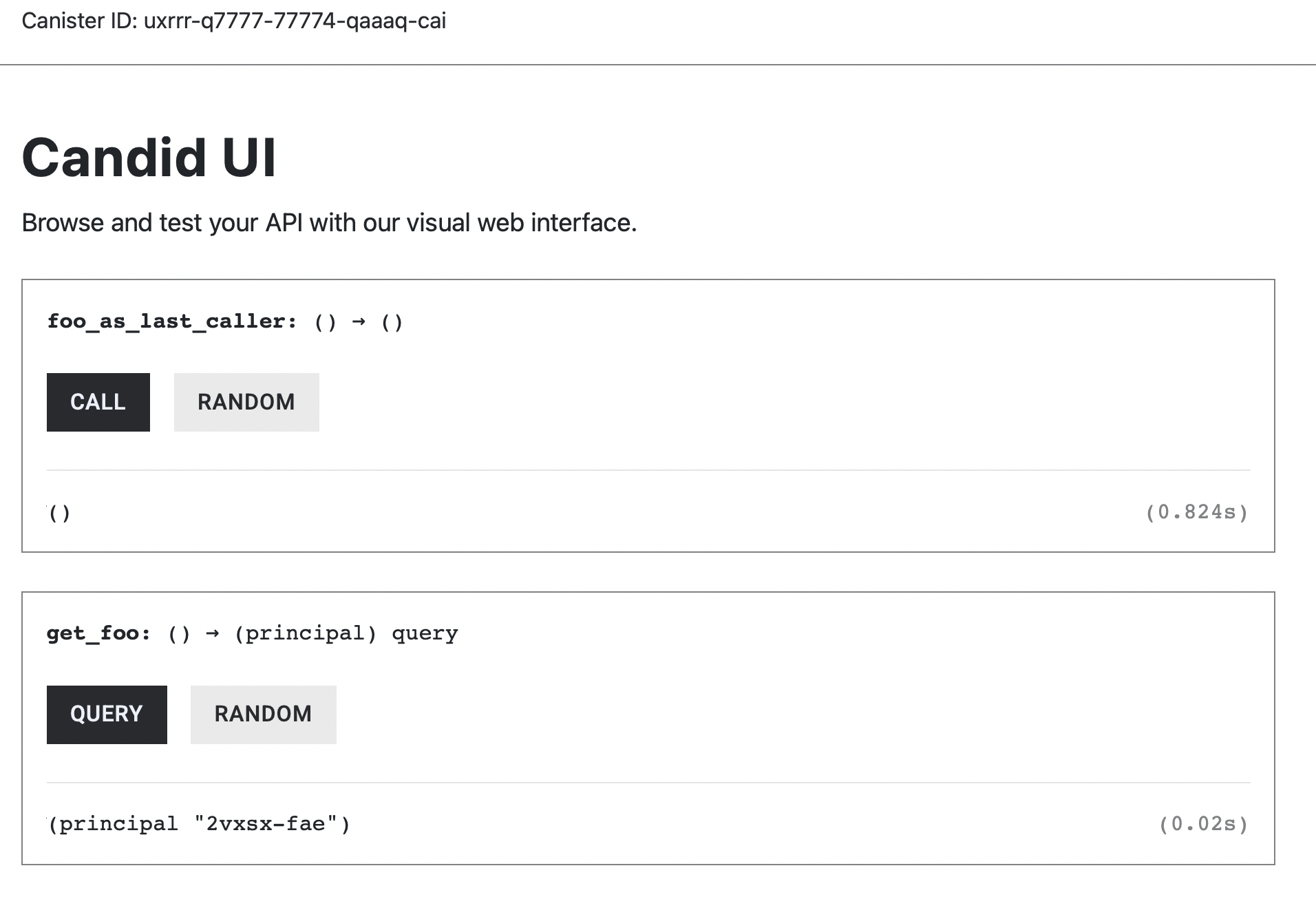
Try calling the foo_as_last_caller from the terminal by running the command below:
dfx canister call composite_types_backend foo_as_last_caller

Unlike calls made from the Candid UI, this command is authenticated with your local dfx identity. As a result, FOO is updated to store your developer identity’s principal.
Then call get_foo() from the terminal using the following command:
dfx canister call composite_types_backend get_foo
****In the output, you will notice that the principal stored in FOO differs from the anonymous principal (2vxsx-fae).

This is because dfx commands are authenticated with your developer identity.
To check the principal of your dfx identity, use the command below:
dfx identity get-principal
The value you obtain from dfx identity get-principal should match what FOO has stored.
HashMaps
HashMaps in Rust work similarly to mappings in Solidity. They associate a unique key with a corresponding value.
To use HashMap, we import it from the standard collections library (std):
use std::collections::HashMap;
Note: In your project directory, reset lib.rs to an empty file and paste in the code shown in the corresponding snippet.
We’ll create a simple balance-tracking system where each principal (user or canister) has an associated balance. To do this, declare a HashMap variable named BALANCES that maps a Principal to a u128 balance and initialize it with HashMap::new().
use std::collections::HashMap;
use candid::Principal;
use std::cell::RefCell;
thread_local! {
static BALANCES: RefCell<HashMap<Principal, u128>> = RefCell::new(HashMap::new());
}
In the next section, we will show you how to update and query a HashMap.
Insert an entry to a HashMap
To update or insert entries to the BALANCES HashMap, we use the .insert() method. Since this operation updates the state, updating BALANCES uses .with_borrow_mut().
The function set_balance() allows a principal to freely set their BALANCES amount.
use std::collections::HashMap;
use candid::Principal;
use std::cell::RefCell;
thread_local! {
static BALANCES: RefCell<HashMap<Principal, u128>> = RefCell::new(HashMap::new());
}
#[ic_cdk::update]
fn set_balance(principal: Principal, amount: u128) {
BALANCES.with_borrow_mut(|cell| {
cell.insert(principal, amount);
});
}
ic_cdk::export_candid!();
The .insert() either adds a new entry or replaces an existing one for the specified key, which in our case is the principal.
Query an entry from a HashMap
To query the value associated with a particular Principal, we use .get() followed by .unwrap_or(&0).
The .get() method returns an Option: it yields Some(&value) if the key exists, or None if it does not. By calling .unwrap_or(&0) on this result, we convert the None case into a default value of 0, while returning the stored value when the entry is present.
use std::collections::HashMap;
use candid::Principal;
use std::cell::RefCell;
thread_local! {
static BALANCES: RefCell<HashMap<Principal, u128>> = RefCell::new(HashMap::new());
}
#[ic_cdk::update]
fn set_balance(principal: Principal, amount: u128) {
BALANCES.with_borrow_mut(|cell| {
cell.insert(principal, amount);
});
}
// new code here
#[ic_cdk::query]
fn get_balance(principal: Principal) -> u128 {
BALANCES.with_borrow(|cell| *cell.get(&principal).unwrap_or(&0))
}
ic_cdk::export_candid!();
Let’s update set_balance so that callers can only modify their own balance and let get_balance() remain unchanged.
use std::collections::HashMap;
use candid::Principal;
use std::cell::RefCell;
use ic_cdk::api::msg_caller;
thread_local! {
static BALANCES: RefCell<HashMap<Principal, u128>> = RefCell::new(HashMap::new());
}
#[ic_cdk::update]
fn set_balance(amount: u128) {
BALANCES.with_borrow_mut(|cell| {
cell.insert(msg_caller(), amount);
});
}
#[ic_cdk::query]
fn get_balance(principal: Principal) -> u128 {
BALANCES.with_borrow(|cell| *cell.get(&principal).unwrap_or(&0))
}
ic_cdk::export_candid!();
Generate the correct Candid Interface using generate-did composite_types_backend.
Call the set_balance() function using dfx CLI and give it a value of 1000
dfx canister call composite_types_backend set_balance
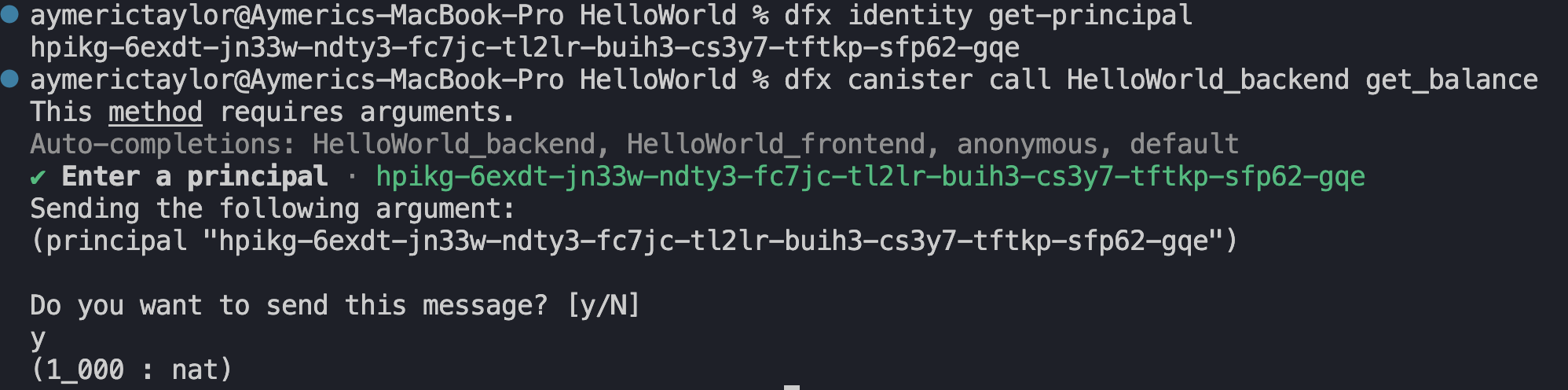
It should yield a similar output to the image below. BALANCES should have a new entry that maps your identity principal to 1000.

Verify your entry by querying get_balance() and passing the principal of the identity dfx is using (dfx identity get-principal). It should return 1000.
Vectors: Dynamic Arrays
Vectors are resizable arrays whose size can change as elements are added or removed. A vector has the type Vec<T>. You can initialize it as an empty vector with vec![], or with values such as vec![1, 2, 3, 4, 5].
A static RefCell variable of type Vec<u64> is declared below with two entries, 10, 20.
use std::cell::RefCell;
thread_local! {
static U64_VECTOR: RefCell<Vec<u64>> = RefCell::new(vec![10,20]);
}
To return the contents of U64_VECTOR, use .with_borrow() and .clone()
use std::cell::RefCell;
thread_local! {
static U64_VECTOR: RefCell<Vec<u64>> = RefCell::new(vec![10,20]);
}
#[ic_cdk::query]
fn return_vector() -> Vec<u64> {
U64_VECTOR.with_borrow(|cell| cell.clone())
}
ic_cdk::export_candid!();
Deploy the canister above and call return_vector(), it will return the entire contents of the vector:
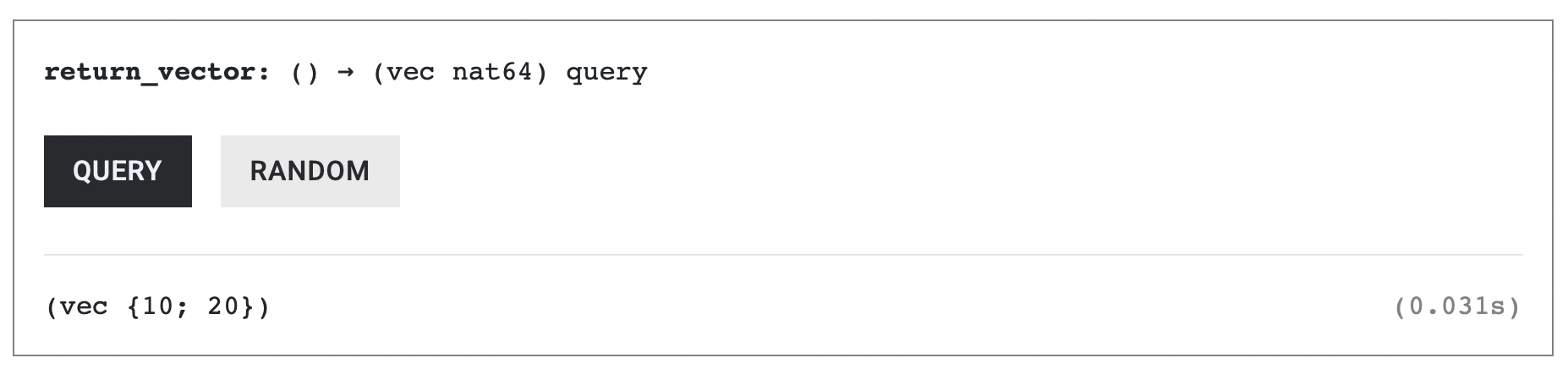
Reading Vector elements
Accessing the elements of a Vec<T> is similar to Solidity arrays: use [index].
use std::cell::RefCell;
thread_local! {
static U64_VECTOR: RefCell<Vec<u64>> = RefCell::new(vec![10,20,30,40]);
}
#[ic_cdk::query]
fn vector_at_index_1() -> u64 {
U64_VECTOR.with_borrow(|cell| cell[1])
}
ic_cdk::export_candid!();
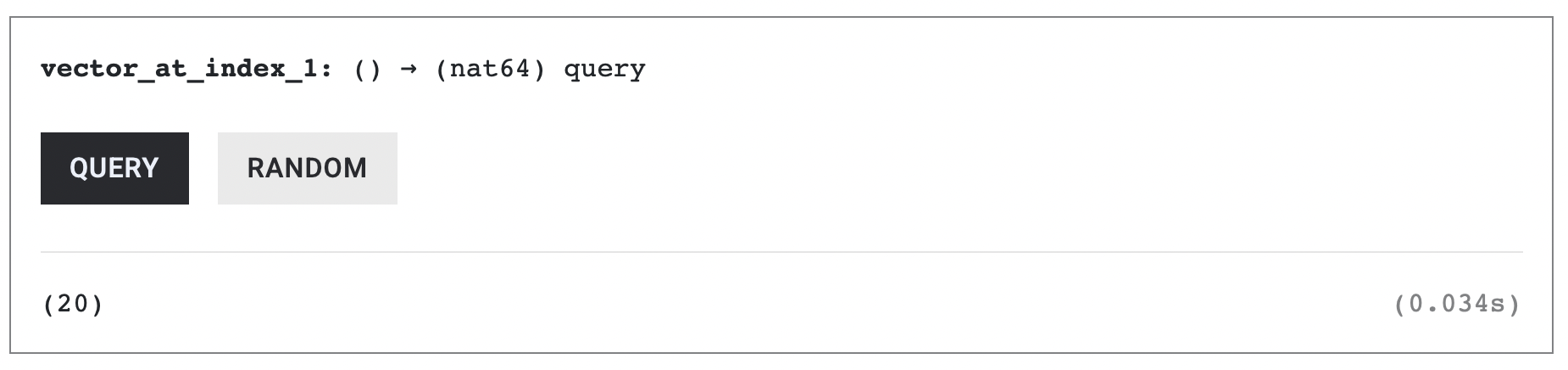
Calling vector_at_index_1() returns 20, the element at index 1 (the second element in the vector).
Vector Index is of type usize
If you want to access a vector at a given index, make sure the index is of type usize:
use std::cell::RefCell;
thread_local! {
static U64_VECTOR: RefCell<Vec<u64>> = RefCell::new(vec![10,20,30,40]);
}
#[ic_cdk::query]
fn vector_at_index(index: usize) -> u64 {
U64_VECTOR.with_borrow(|cell| cell[index])
}
ic_cdk::export_candid!();
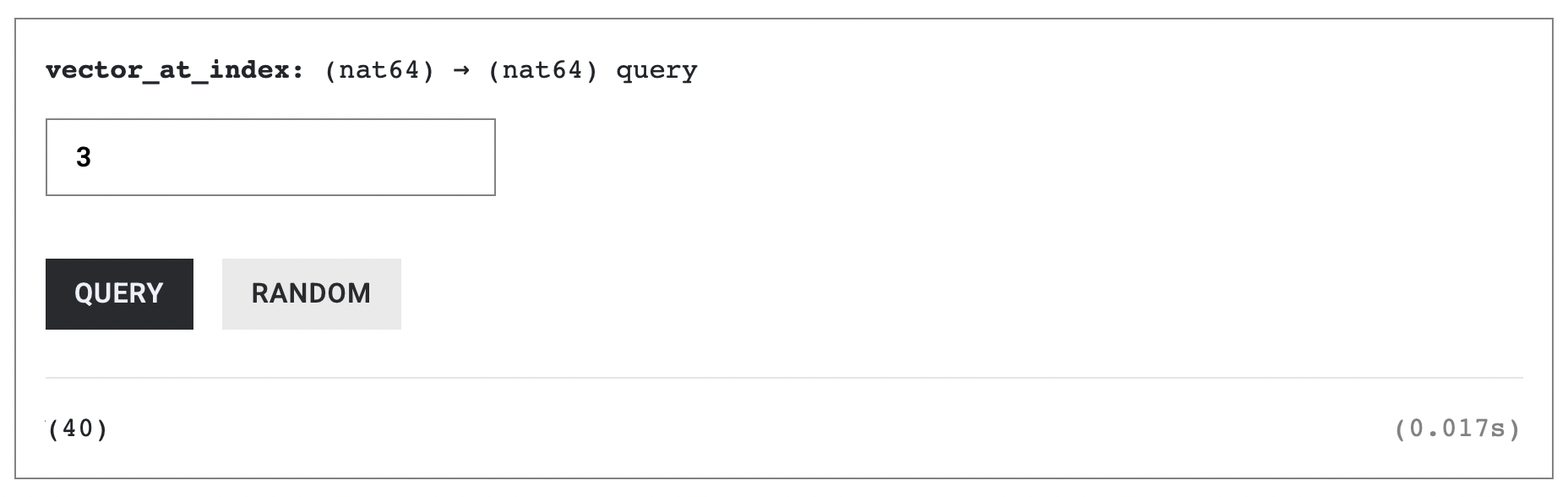
Call vector_at_index(3), it should return the fourth element.
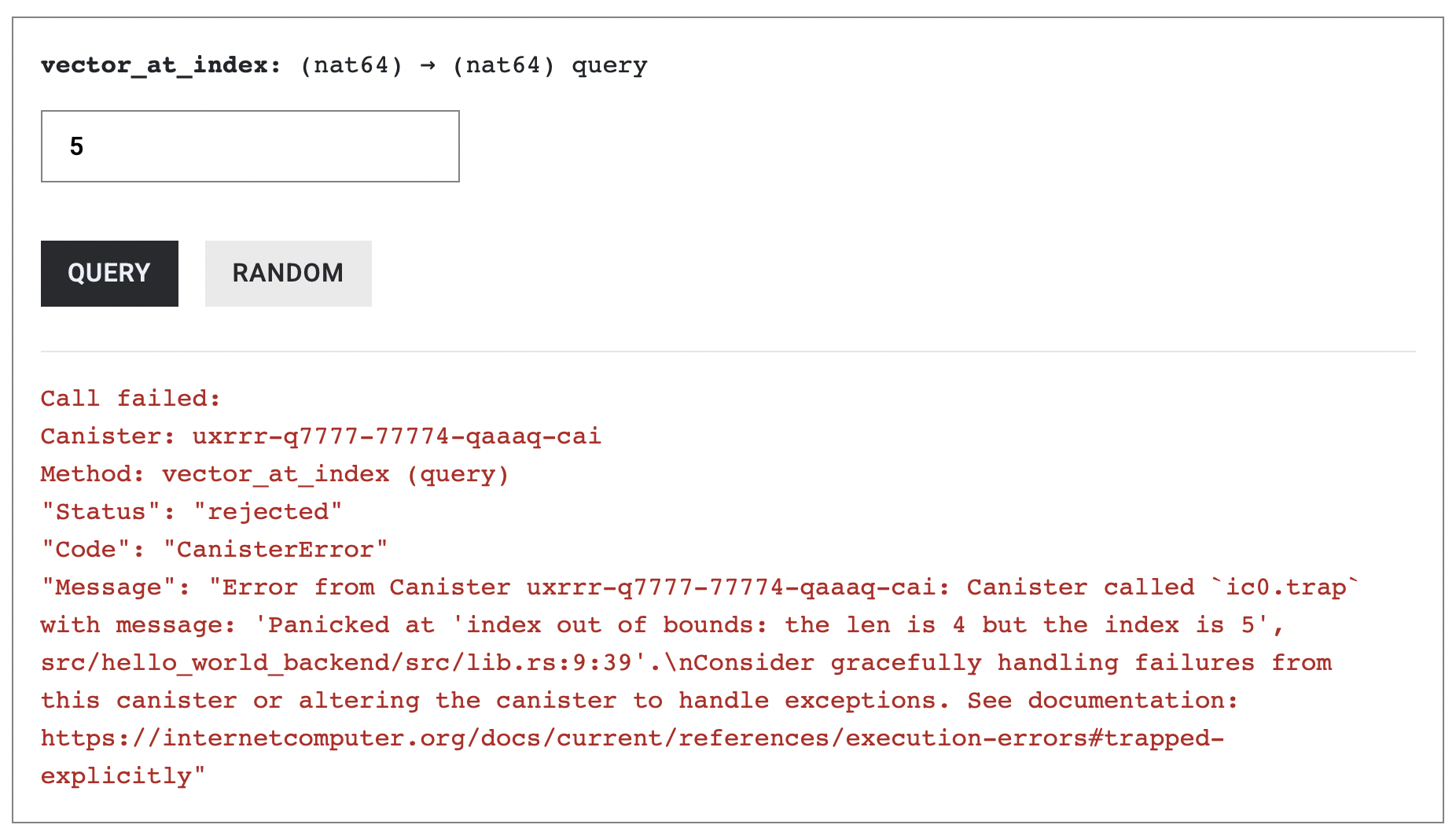
Querying outside of the vector’s index however will trigger a panic:
Updating vector elements
To update the value of the vector at a specific index, we use .with_borrow_mut() to get a mutable reference to the vector, then update the element by writing cell[index] = value inside the closure.
use std::cell::RefCell;
thread_local! {
static U64_VECTOR: RefCell<Vec<u64>> = RefCell::new(vec![10,20,30,40]);
}
// NEW CODE HERE
#[ic_cdk::update]
fn set_value(index: usize, value: u64){
// write to the value
U64_VECTOR.with_borrow_mut(|cell| {
cell[index] = value;
});
}
#[ic_cdk::query]
fn vector_at_index(index: usize) -> u64 {
U64_VECTOR.with_borrow(|cell| cell[index])
}
ic_cdk::export_candid!();
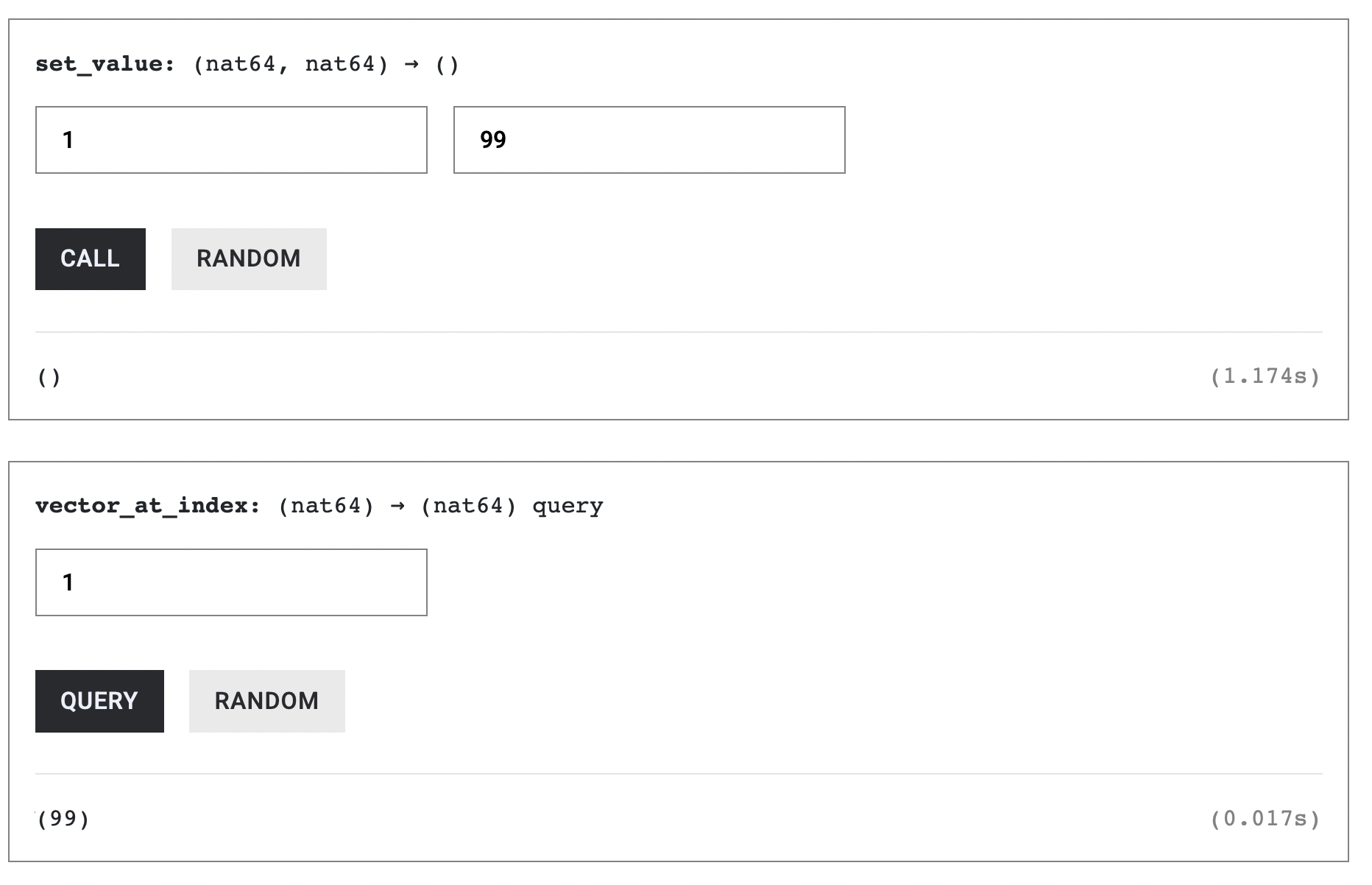
Call set_value(1, 99). Then call vector_at_index(1) to verify that the value has been updated.
If you pass an out of bounds index to set_value, the call will panic:
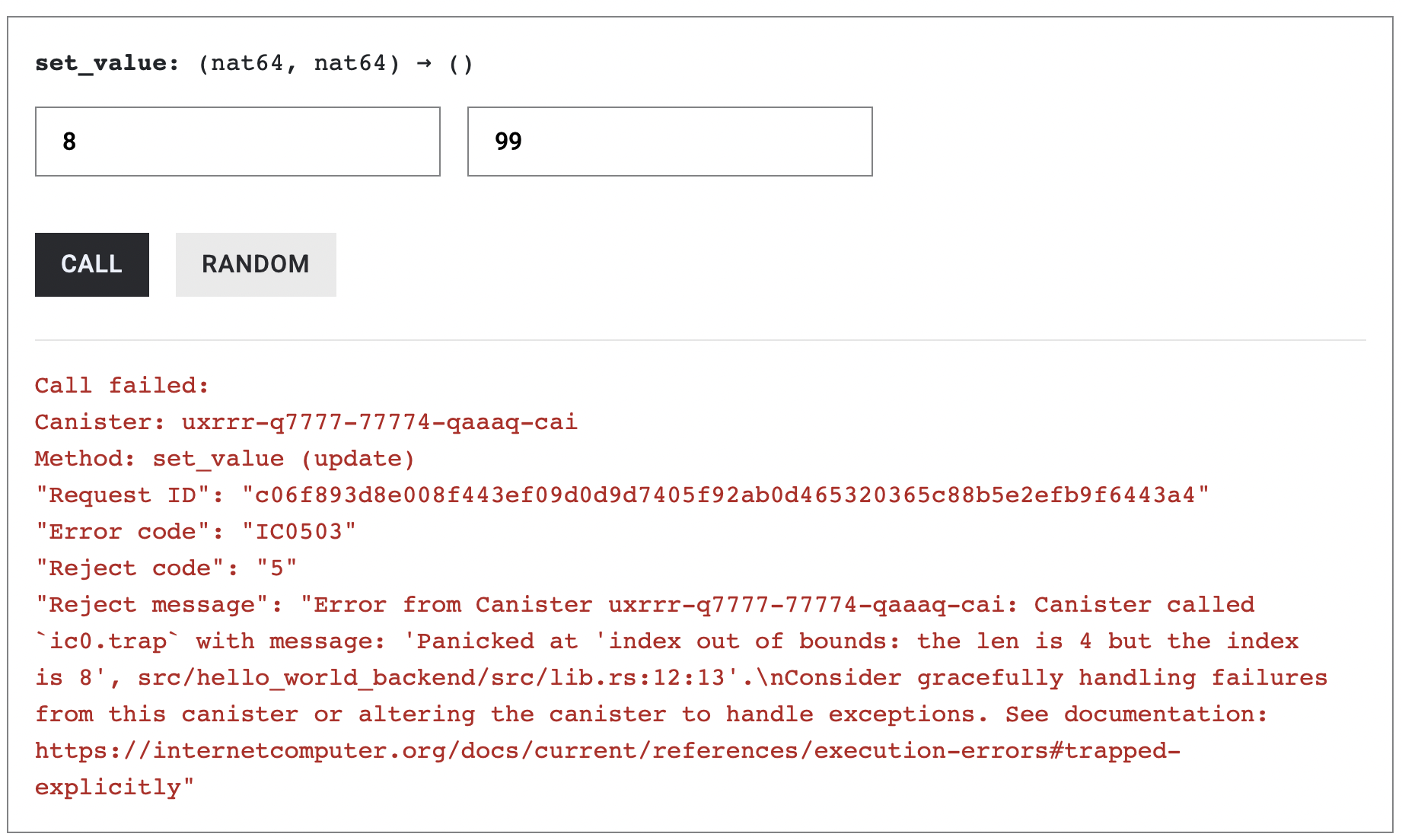
However, we can avoid this panic by using vector.get(index) instead of indexing with vector[index].
The .get method returns an Option<&u64>:
Some(&value)if the index is in boundsNoneif it is out of bounds
This way, even if we accidentally use an out-of-bounds index, the function won’t panic — it will simply return None.
We then call .copied() to convert Option<&u64> into Option<u64> so it matches the function’s return type:
// Safely read a value from the vector
#[ic_cdk::query]
fn vector_at_index(index: usize) -> Option<u64> {
U64_VECTOR.with_borrow(|cell| cell.get(index).copied())
}
Adding vector elements with .push()
We can push values to a vector using the .push() function. Its size can grow dynamically.
use std::cell::RefCell;
thread_local! {
static U64_VECTOR: RefCell<Vec<u64>> = RefCell::new(vec![10,20,30,40]);
}
// NEW CODE HERE
#[ic_cdk::update]
fn push_value(value: u64) {
U64_VECTOR.with_borrow_mut(|cell| {
cell.push(value);
});
}
#[ic_cdk::query]
fn vector_at_index(index: usize) -> u64 {
U64_VECTOR.with_borrow(|cell| cell[index])
}
ic_cdk::export_candid!();
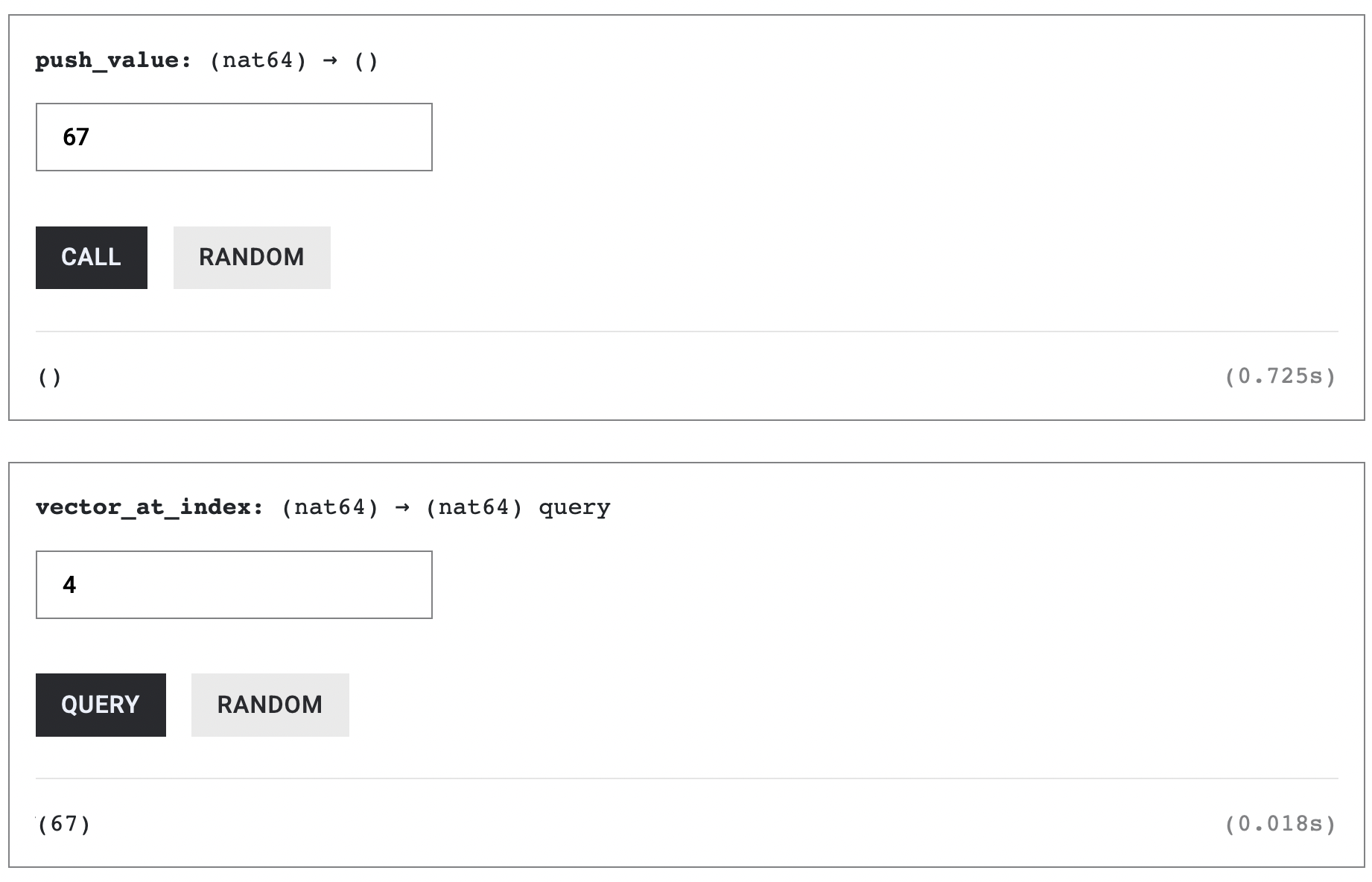
Push a new value into the vector and query for it. Be careful not to overstep the index.
Swap vector elements with .swap()
Swapping vector values uses the .swap() function. It takes two indices of type usize and swaps the elements at those positions.
use std::cell::RefCell;
thread_local! {
static U64_VECTOR: RefCell<Vec<u64>> = RefCell::new(vec![10,20,30,40]);
}
// NEW CODE HERE
#[ic_cdk::update]
fn swap_values(i: usize, j: usize) {
U64_VECTOR.with_borrow_mut(|cell| {
cell.swap(i, j);
});
}
#[ic_cdk::query]
fn return_vector() -> Vec<u64> {
U64_VECTOR.with_borrow(|cell| cell.clone())
}
ic_cdk::export_candid!();
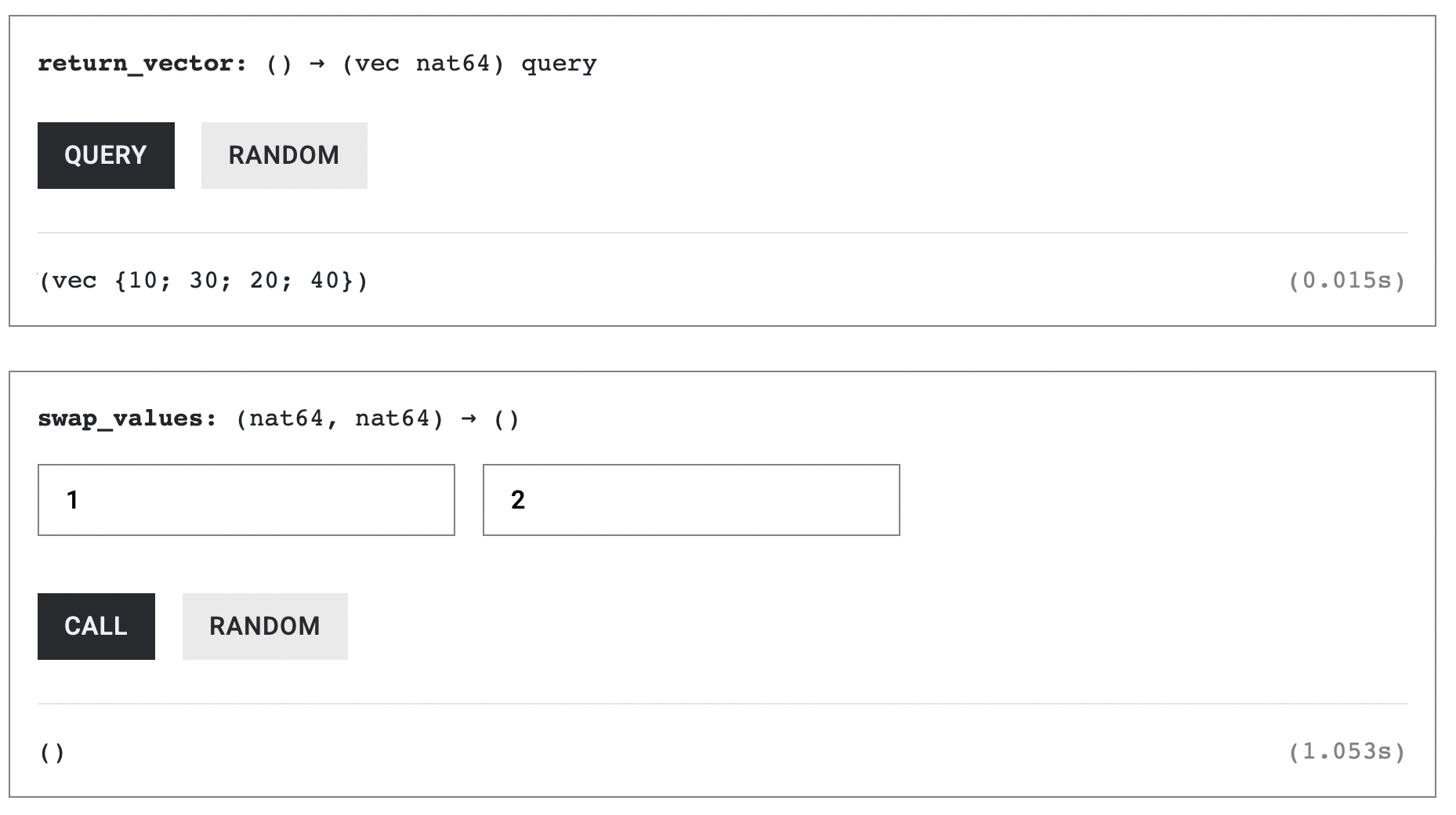
The image below shows that we swapped the second vector element with the third. For example, calling swap_values(1, 2) on the vector [10, 20, 30, 40] swaps the elements at index 1 and index 2, resulting in [10, 30, 20, 40] as seen below:
Removing vector elements with .remove()
To remove a single element, we can use the .remove() function. It deletes the element at the given index and shifts all later elements one position to the left.
use std::cell::RefCell;
thread_local! {
static U64_VECTOR: RefCell<Vec<u64>> = RefCell::new(vec![10,20,30,40]);
}
// NEW CODE HERE
#[ic_cdk::update]
fn remove_index(index: usize) {
U64_VECTOR.with_borrow_mut(|cell| cell.remove(index));
}
#[ic_cdk::query]
fn return_vector() -> Vec<u64> {
U64_VECTOR.with_borrow(|cell| cell.clone())
}
ic_cdk::export_candid!();
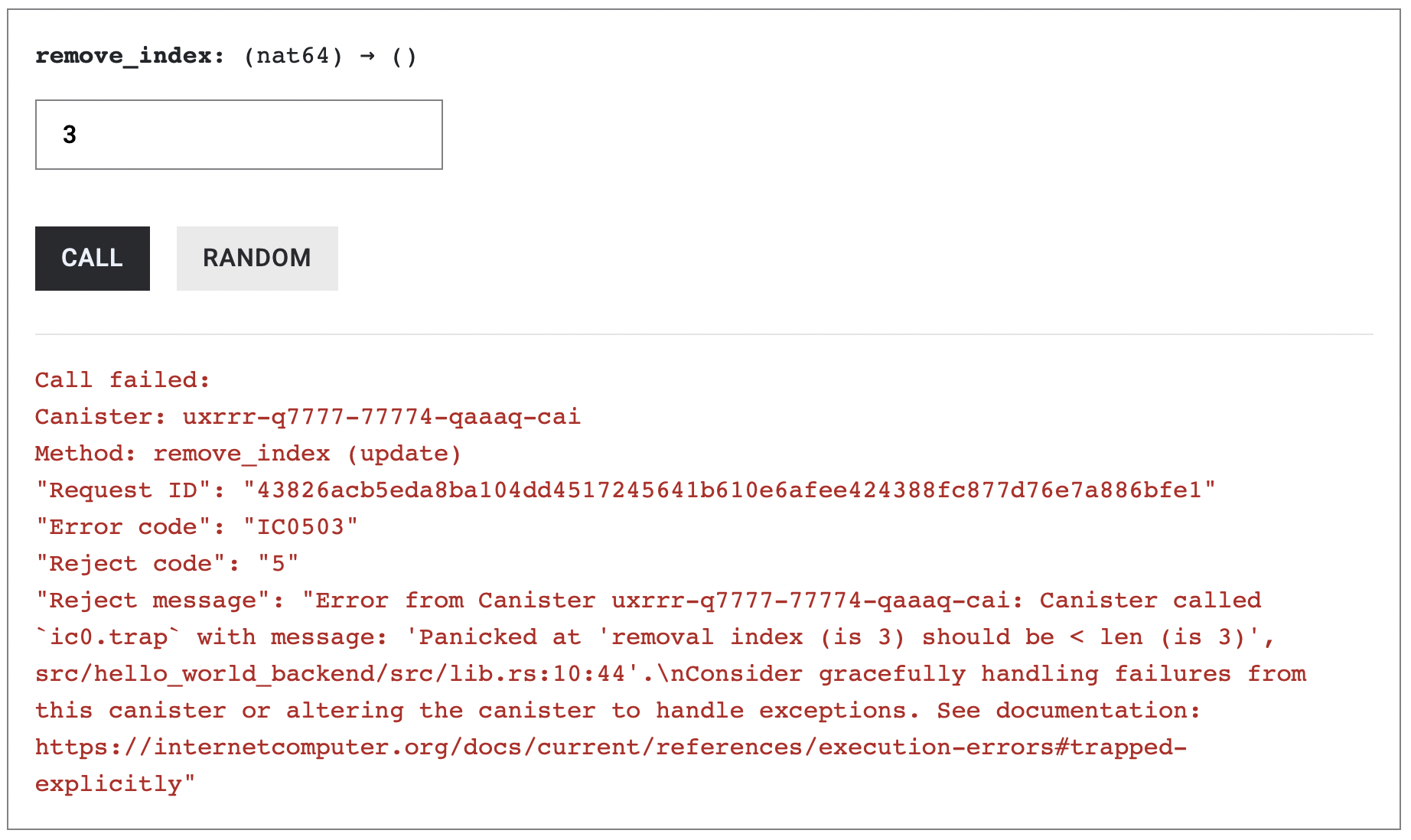
Remove the first element; the vector should contain only the 3 subsequent entires, 10, 20 and 30.
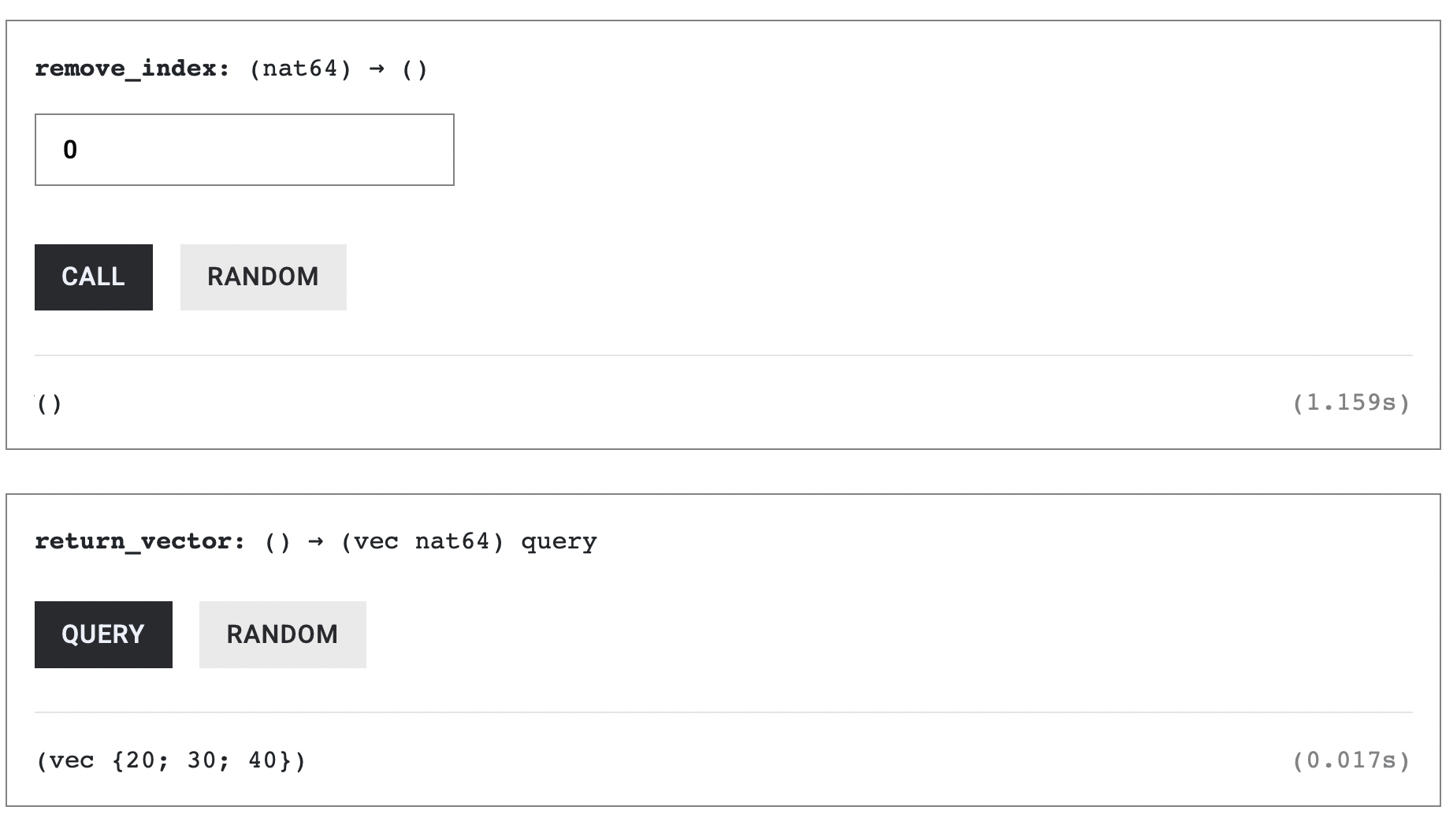
Attempting to remove an element from an out-of-bounds index will cause the code to panic.
Remove all vector elements with .clear()
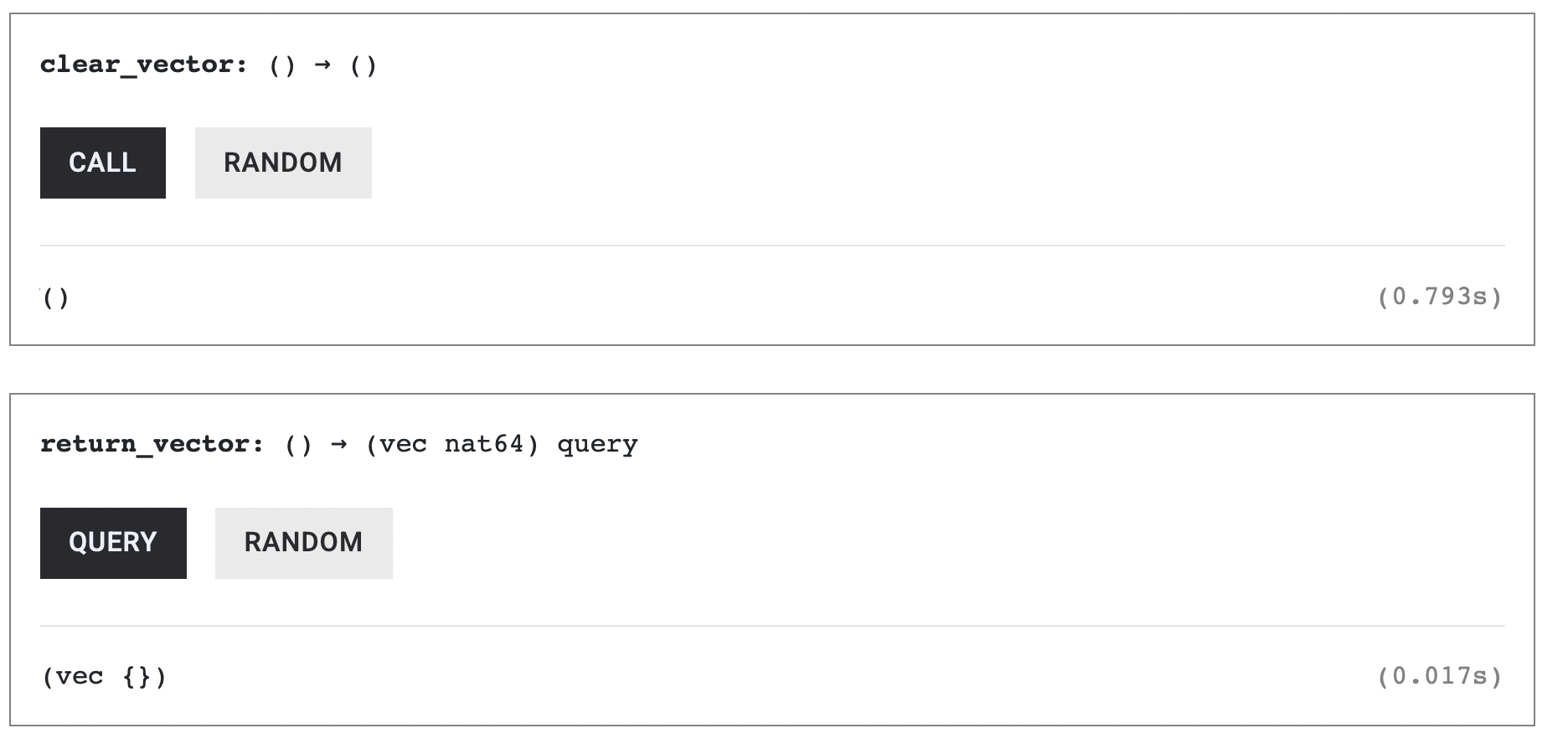
We can also clear the entire vector, removing all its entries and rendering it an empty vector using the .clear() method.
use std::cell::RefCell;
thread_local! {
static U64_VECTOR: RefCell<Vec<u64>> = RefCell::new(vec![10,20,30,40]);
}
// NEW CODE HERE
#[ic_cdk::update]
fn clear_vector() {
U64_VECTOR.with_borrow_mut(|cell| {
cell.clear();
});
}
#[ic_cdk::query]
fn return_vector() -> Vec<u64> {
U64_VECTOR.with_borrow(|cell| cell.clone())
}
ic_cdk::export_candid!();
Calling clear_vector would empty out all of U64_VECTOR’s entries
Structs
A struct groups related data under a single name. For example:
struct User {
id: Principal,
age: u8,
}
Here the struct, User, has two fields:
idis of typePrincipalandageis of typeu8.
To use structs in a Rust canister, you’d need to pair it up with the #[derive(Clone, CandidType, Deserialize)] macro:
use candid::{CandidType, Deserialize, Principal};
#[derive(Clone, CandidType, Deserialize)]
struct User {
id: Principal,
age: u8,
}
ic_cdk::export_candid!();
Here we use #[derive(Clone, CandidType, Deserialize)] to automatically give the struct the traits it needs for Candid serialization and deserialization.
Clone– lets you duplicate aUserinstance.CandidType– enables the struct to be encoded in the Candid format, for example when the struct is returned from a canister function.Deserialize– works withCandidTypeto convert incoming Candid-encoded bytes back into a Ruststruct, for example when a canister function takes theUserstruct as an argument.
The Deserialize derive macro is provided by the Serde crate, so you need to add Serde with its derive feature in your Cargo.toml file found at (src/composite_types_backend):
[dependencies]
candid = "0.10"
ic-cdk = "0.17"
ic-cdk-timers = "0.11" # Remove if you don't need timers
// add the line below
serde = { version = "1.0", features = ["derive"] }
struct state variables
The state variable USER below is an instance of the User struct, with the id field initialized to Principal::anonymous()and the age field initialized to 0.
use std::cell::RefCell;
use candid::{CandidType, Deserialize, Principal};
#[derive(Clone, CandidType, Deserialize)]
struct User {
id: Principal,
age: u8,
}
thread_local! {
static USER: RefCell<User> = RefCell::new(User {
id: Principal::anonymous(),
age: 0,
});
}
ic_cdk::export_candid!();
Reading structs
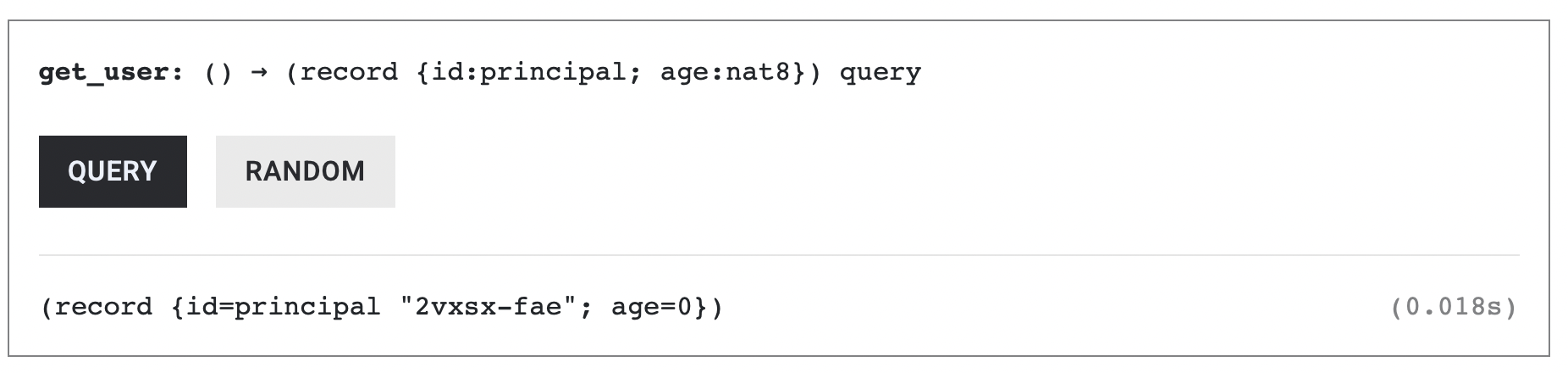
To return USER, use .with_borrow() and .clone().
use std::cell::RefCell;
use candid::{CandidType, Deserialize, Principal};
#[derive(Clone, CandidType, Deserialize)]
struct User {
id: Principal,
age: u8,
}
thread_local! {
static USER: RefCell<User> = RefCell::new(User {
id: Principal::anonymous(),
age: 0,
});
}
#[ic_cdk::query]
fn get_user() -> User {
USER.with_borrow(|cell| cell.clone())
}
ic_cdk::export_candid!();
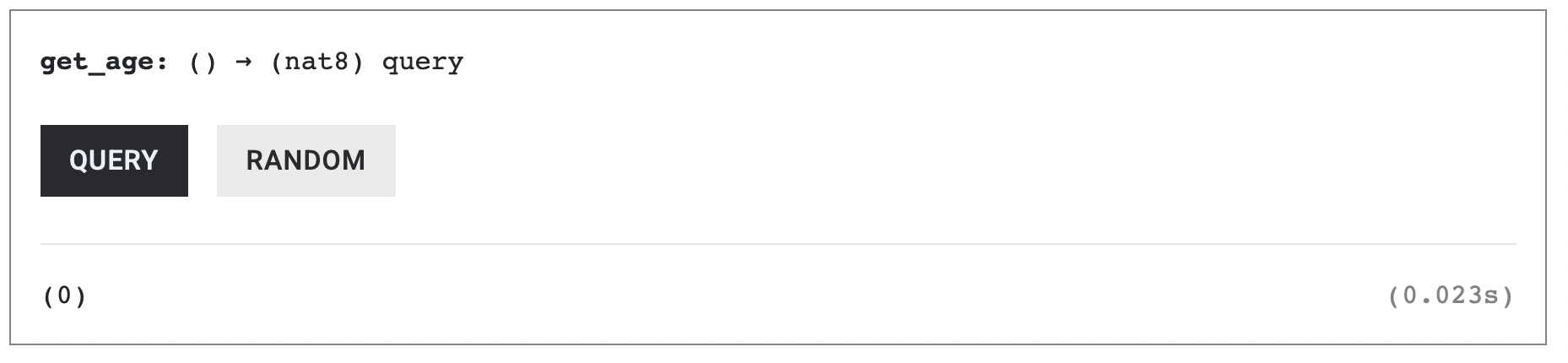
You can also return individual fields directly. For example, to return only the age:
use std::cell::RefCell;
use candid::{CandidType, Deserialize, Principal};
#[derive(Clone, CandidType, Deserialize)]
struct User {
id: Principal,
age: u8,
}
thread_local! {
static USER: RefCell<User> = RefCell::new(User {
id: Principal::anonymous(),
age: 0,
});
}
#[ic_cdk::query]
fn get_age() -> u8 {
USER.with_borrow(|cell| cell.age)
}
ic_cdk::export_candid!();
Writing to structs
To update the entire User struct, we can take an input variable of type User and assign it to the thread-local variable.
use std::cell::RefCell;
use candid::{CandidType, Deserialize, Principal};
#[derive(Clone, CandidType, Deserialize)]
struct User {
id: Principal,
age: u8,
}
thread_local! {
static USER: RefCell<User> = RefCell::new(User {
id: Principal::anonymous(),
age: 0,
});
}
// NEW CODE HERE
#[ic_cdk::update]
fn set_user(user: User) {
USER.with_borrow_mut(|cell| {
*cell = user;
});
}
#[ic_cdk::query]
fn get_user() -> User {
USER.with_borrow(|cell| cell.clone())
}
ic_cdk::export_candid!();
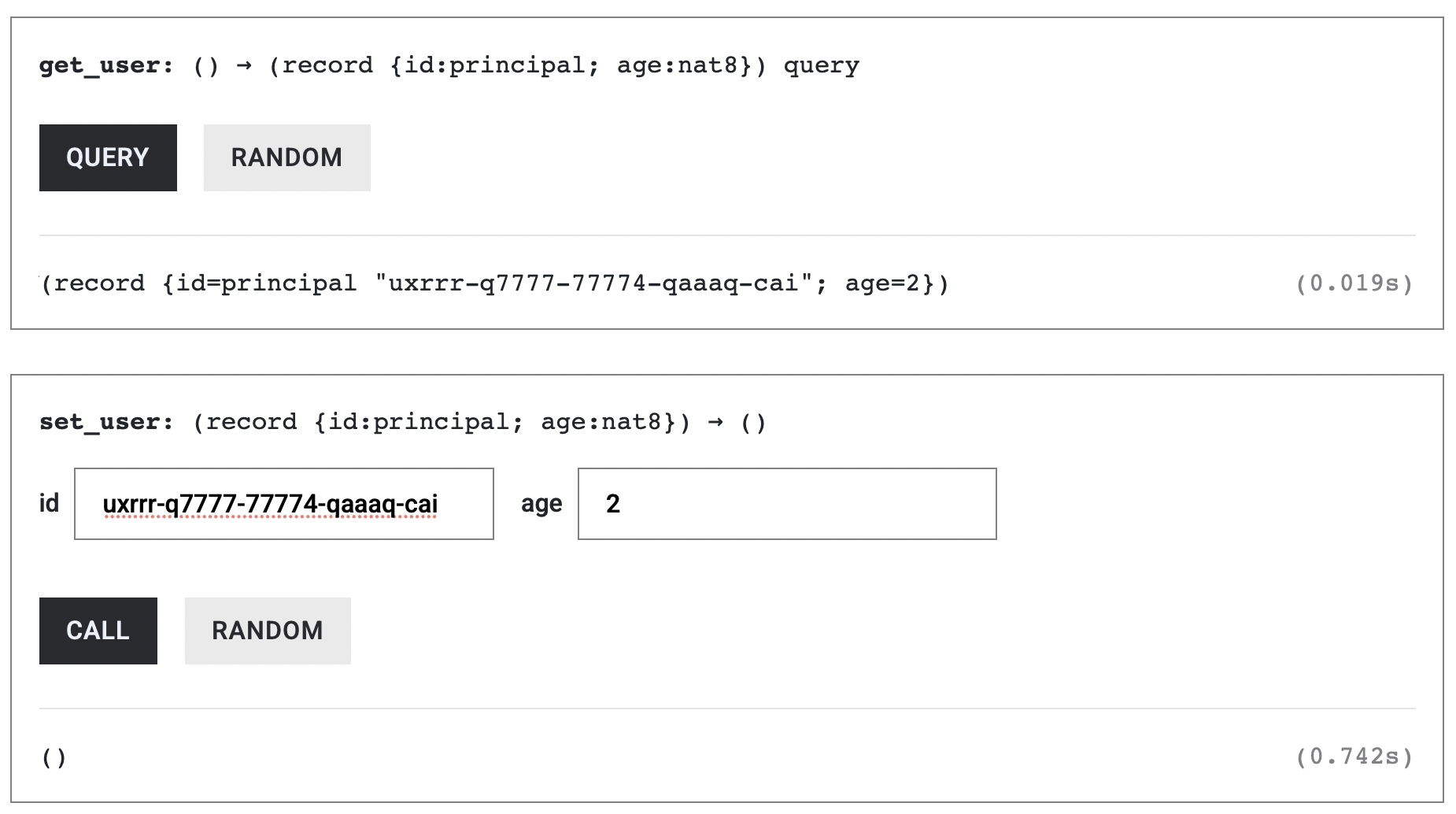
If we want to update just one field, assign the value to the variable’s .age or .id field. :
use std::cell::RefCell;
use candid::{CandidType, Deserialize, Principal};
#[derive(Clone, CandidType, Deserialize)]
struct User {
id: Principal,
age: u8,
}
thread_local! {
static USER: RefCell<User> = RefCell::new(User {
id: Principal::anonymous(),
age: 0,
});
}
// NEW CODE HERE
#[ic_cdk::update]
fn set_age(new_age: u8) {
USER.with_borrow_mut(|cell| {
cell.age = new_age;
});
}
#[ic_cdk::update]
fn set_principal(new_id: Principal) {
USER.with_borrow_mut(|cell| {
cell.id = new_id;
});
}
#[ic_cdk::query]
fn get_user() -> User {
USER.with_borrow(|cell| cell.clone())
}
ic_cdk::export_candid!();
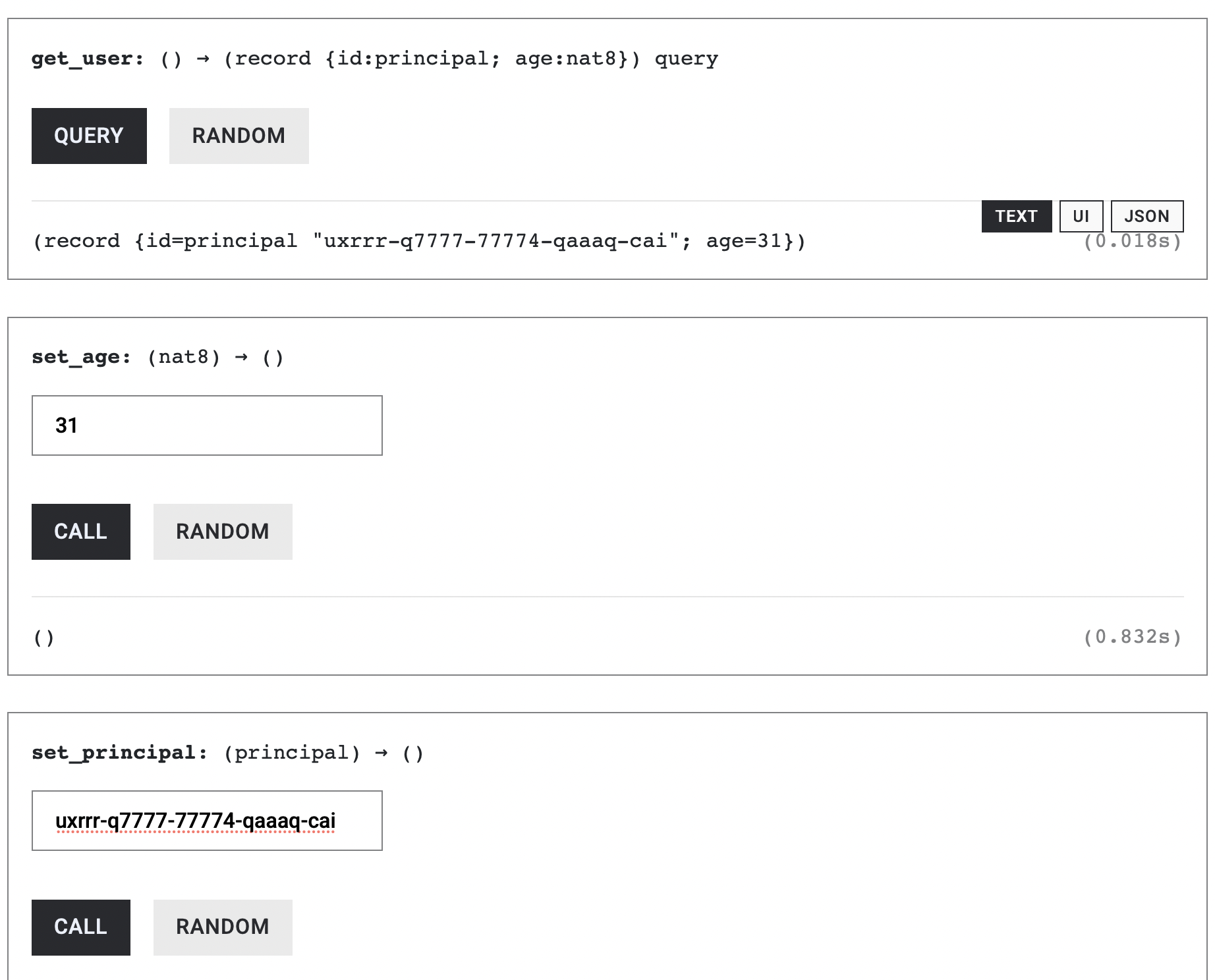
We’ll skip other composite types for now to stay focused on canister development. In the next article, we’ll show how to initialize a canister’s state at deployment using constructors.