When an inter-canister call succeeds, the returned value is not immediately available in a usable Rust type. Instead, the response is wrapped inside Ok(Response) and encoded using Candid, the serialization format used by the Internet Computer.
To access the actual value, we must first unwrap the Ok(Response) to obtain the raw Candid-encoded data (Response), and then deserialize it into the expected Rust type. In this article, we walk through this process step by step, using the .candid::<Type>() method to decode the response from an inter-canister call.
Decoding a Return Value from an Inter-Canister Call
Replace the code of Canister B that we created earlier with the following implementation:
#[ic_cdk::update]
fn ret_val() -> u64 {
21
}
ic_cdk::export_candid!();
This change exposes a new update method, ret_val(), which returns a fixed u64 value of 21.
After adding the function, generate the Candid UI and deploy the canister:
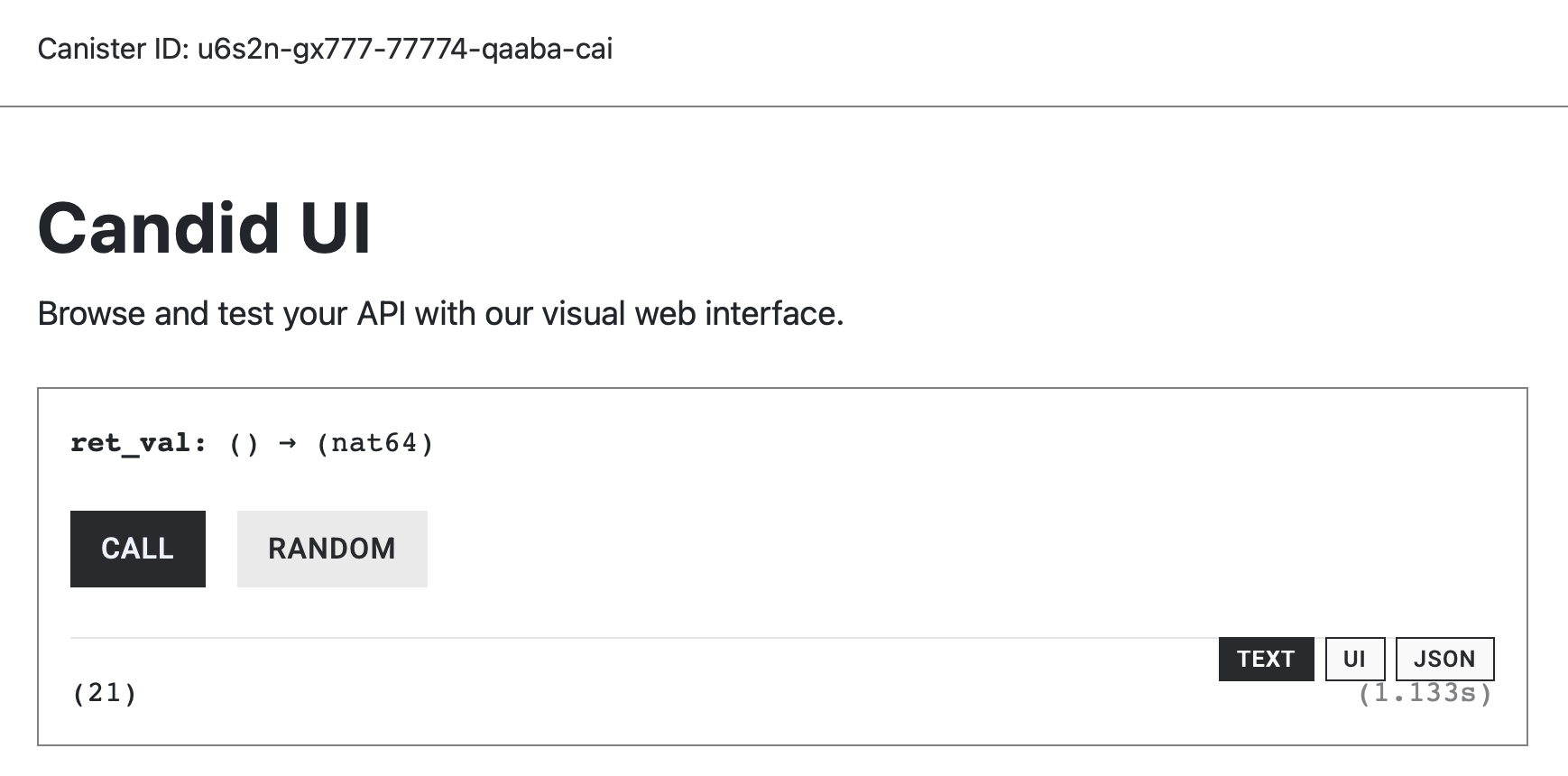
We’ll now call this method from Canister A and decode its return value. Recall that inter-canister calls return Candid-encoded data wrapped inside of Ok(Response). To extract the value, we need perform two steps:
- Unwrap the
Ok(Response)using.unwrap()to obtain the raw Candid-encoded response. - Deserialize the response using
.candid::<Type>(), where Type is the Rust type we expect (u64in this case).
Below, Canister A performs the inter-canister call and includes the unwrapping and decoding logic inside the inter_canister function.
use candid::Principal;
use ic_cdk::call::Call;
#[ic_cdk::update]
async fn inter_canister(callee: Principal) -> u64 {
let result = Call::unbounded_wait(callee, "ret_val").await;
let ok = result.is_ok();
if ok == false {
// Print the error if the call failed
ic_cdk::api::trap( result.unwrap_err().to_string());
}
// Unwraps Ok(Response) to Response
let unwrapped_result = result.unwrap();
// We now have the raw canid encoded response
// Decodes the candid encoded raw response
let decoded_value = unwrapped_result.candid::<u64>();
// Check if we have successfully decoded it
if decoded_value.is_ok() == false {
ic_cdk::trap("Failed to decode data");
}
// Unwrap Ok(decoded Value)
decoded_value.unwrap() // returns the successfully decoded value
}
ic_cdk::export_candid!();
Deploy the Canister A and Call the inter_canister function from candid UI.
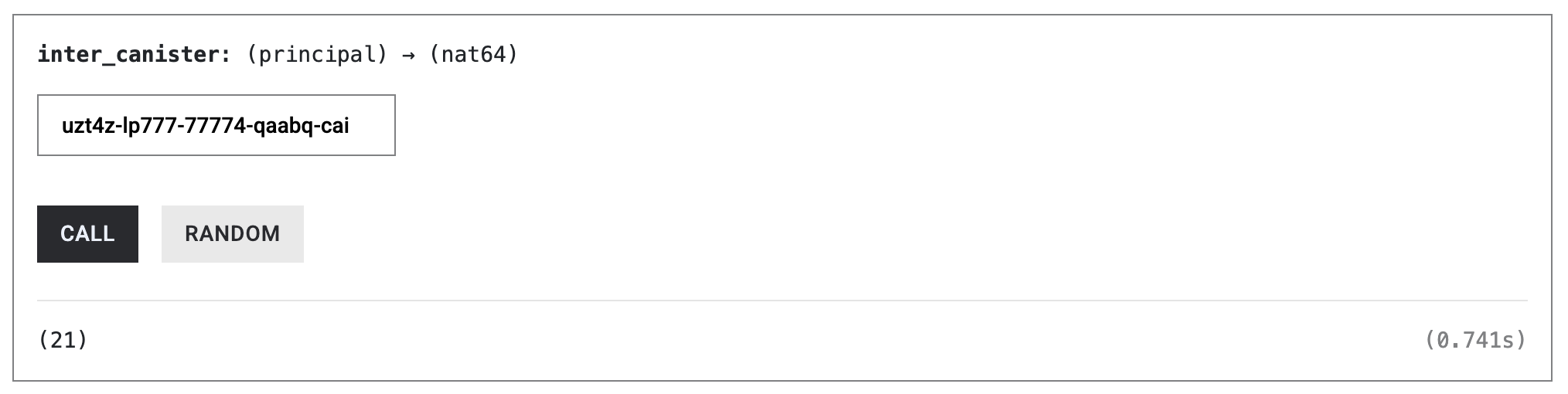
The call should successfully return the value produced by Canister B, which is 21.
Handling Decoding Failures with .candid::()
In the previous example, the response was successfully decoded into a u64. In practice, however, decoding can fail—for example, when the expected type does not match the actual return type. For this reason, the .candid::<Type>() method returns a Result as well, allowing us to handle decoding failures explicitly.
The code snippet below demonstrates how we can an error from decoding the Response, which was from the previous Canister A snippet:
// we can trap if the data is not decoded correctly
if decoded_value.is_err{
ic_cdk::trap("Failed to decode data");
}
// return the decoded value if the previous check passes
return decoded_value.unwrap();
To see what happens when decoding fails, let’s intentionally introduce a type mismatch.
Failed Decoding data example
Callee’s function ret_val returns a u64, but let’s try to decode the data into a bool by changing .candid::<u64> to .candid::<bool>, and the return value of the function to a bool.
use ic_cdk::call::Call
#[update]
async fn inter_canister_call(callee: Principal) -> bool {
let result = Call::unbounded_wait(callee, "ret_val").await;
if result.is_ok() == false{
ic_cdk::trap("The inter-canister call failed");
}
let decoded_value = result.unwrap().candid::<bool>(); // change here
if decoded_value.is_ok() == false {
ic_cdk::trap("Failed to decode data");
}
decoded_value.unwrap()
}
The function fails with an error message: ‘Failed to decode data’
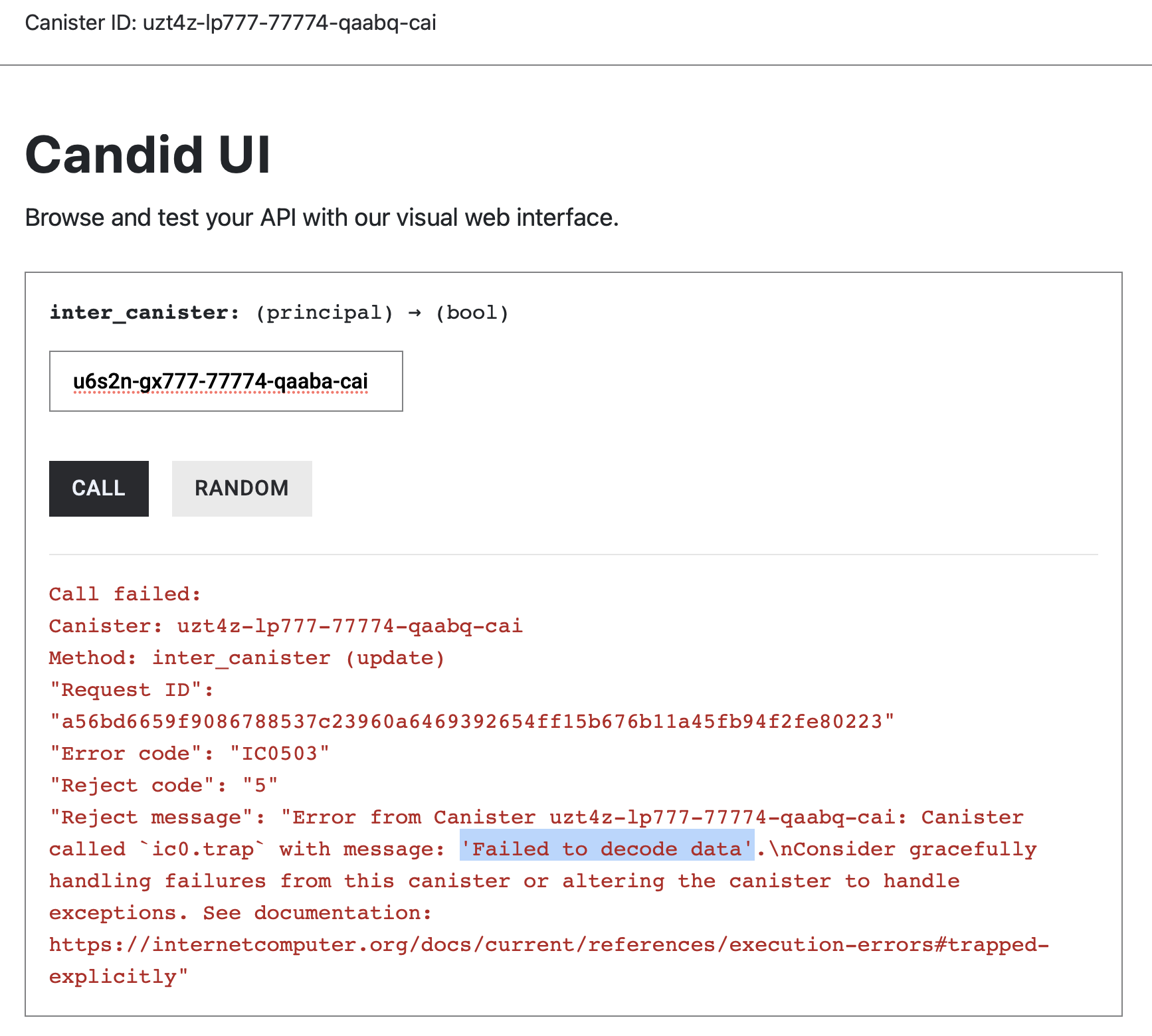
The error is caused in this line of code:
if decoded_value.is_ok() == false {
ic_cdk::trap("Failed to decode data");
}
decode other data types using .candid::<Type>()
The .candid::<Type>() method allows you to specify the exact Rust type you expect the response to decode into. This type must match the callee’s return type; otherwise, decoding will fail at runtime.
Below are a few common examples:
- Decoding a u64 value
Use this when the callee returns an unsigned 64-bit integer:
.candid::<u64>() - Decoding a String value
Use this when the callee returns a textual value:
.candid::<String>() - Decoding a bool value
Use this when the callee returns a boolean:
.candid::<bool>()
Passing Arguments in Inter-Canister Calls
So far, we’ve focused on decoding return values from inter-canister calls. However, many canister methods also require input parameters. When making an inter-canister call, these parameters must be encoded in Candid and sent along with the request.
Consider the sum() method defined in the callee canister. The sum() function takes two u64 values and returns their sum:
#[ic_cdk::update]
fn sum(a: u64, b: u64) -> u64 {
a + b
}
ic_cdk::export_candid!();
To call sum() from another canister, we include the arguments using .with_args(). as shown below:
use candid::Principal;
use ic_cdk::call::Call;
#[ic_cdk::update]
async fn inter_canister_call(callee: Principal) -> bool {
let result = Call::unbounded_wait(callee, "sum")
.with_args(&(1 as u64, 2 as u64))
.await;
if result.is_ok() == false{
ic_cdk::trap("The inter-canister call failed");
}
let decoded_value = result.unwrap().candid::<bool>(); // change here
if decoded_value.is_ok() == false {
ic_cdk::trap("Failed to decode data");
}
decoded_value.unwrap()
}
ic_cdk::export_candid!();
The arguments are provided as a tuple reference, with each value matching the callee’s expected parameter type and order.
When invoked, this call correctly encodes the arguments, executes the sum() method in the callee, and decodes the returned value.
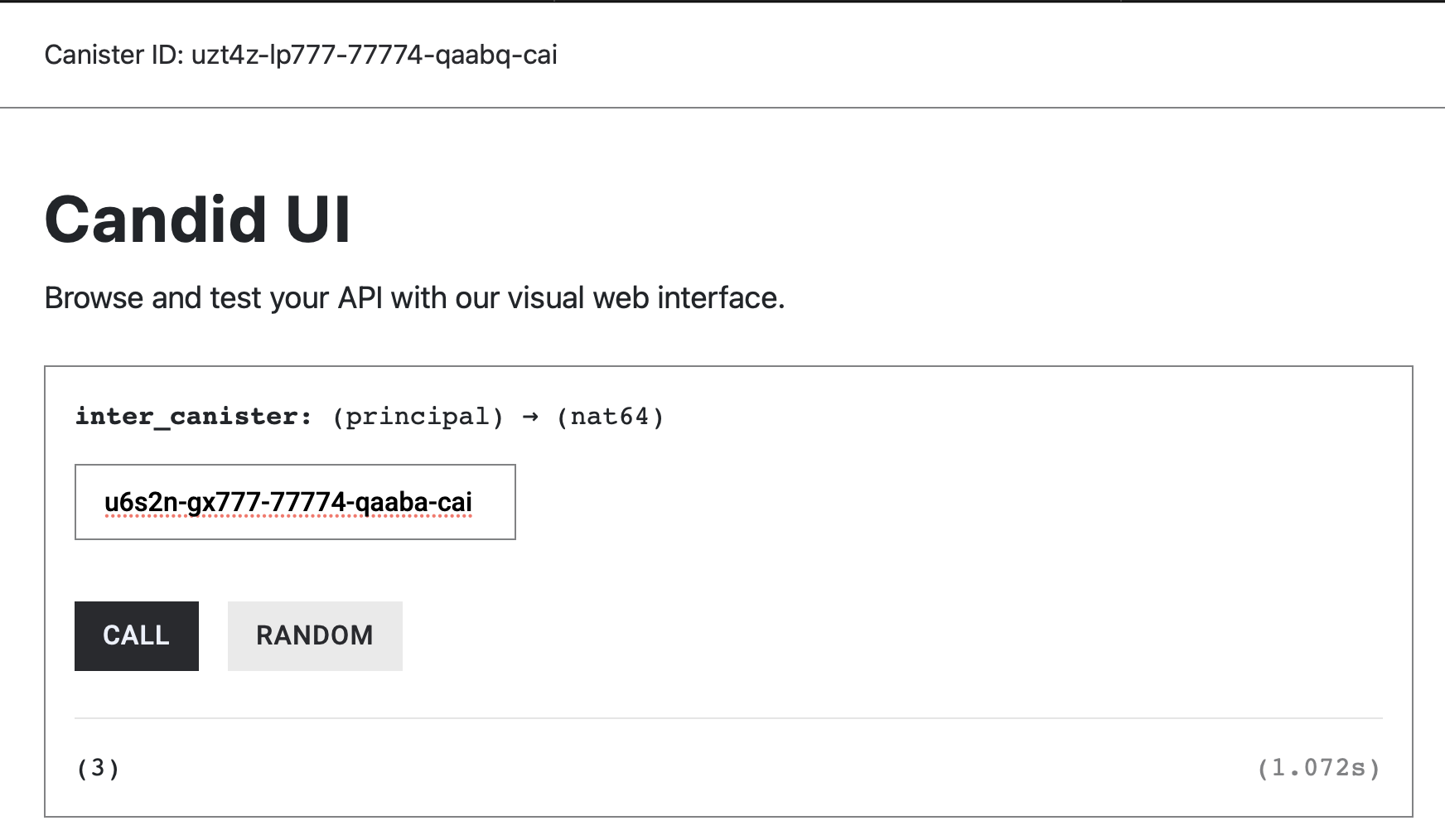
Just like return values, argument encoding is type-sensitive. If the provided arguments do not match the callee’s expected types, the inter-canister call will fail.
For example, in the snippet below, the first argument is incorrectly encoded as an i32 instead of a u64:
use candid::Principal;
use ic_cdk::call::Call;
#[ic_cdk::update]
async fn inter_canister(callee: Principal) -> u64 {
let result = Call::unbounded_wait(callee, "sum")
.with_args(&(1 as i32, 2 as u64)) // wrong argument type
.await;
if result.is_ok() == false {
ic_cdk::trap("The inter-canister call failed");
}
let decoded_value = result.unwrap().candid::<u64>(); // change here
if decoded_value.is_ok() == false {
ic_cdk::trap("Failed to decode data");
}
decoded_value.unwrap()
}
ic_cdk::export_candid!();
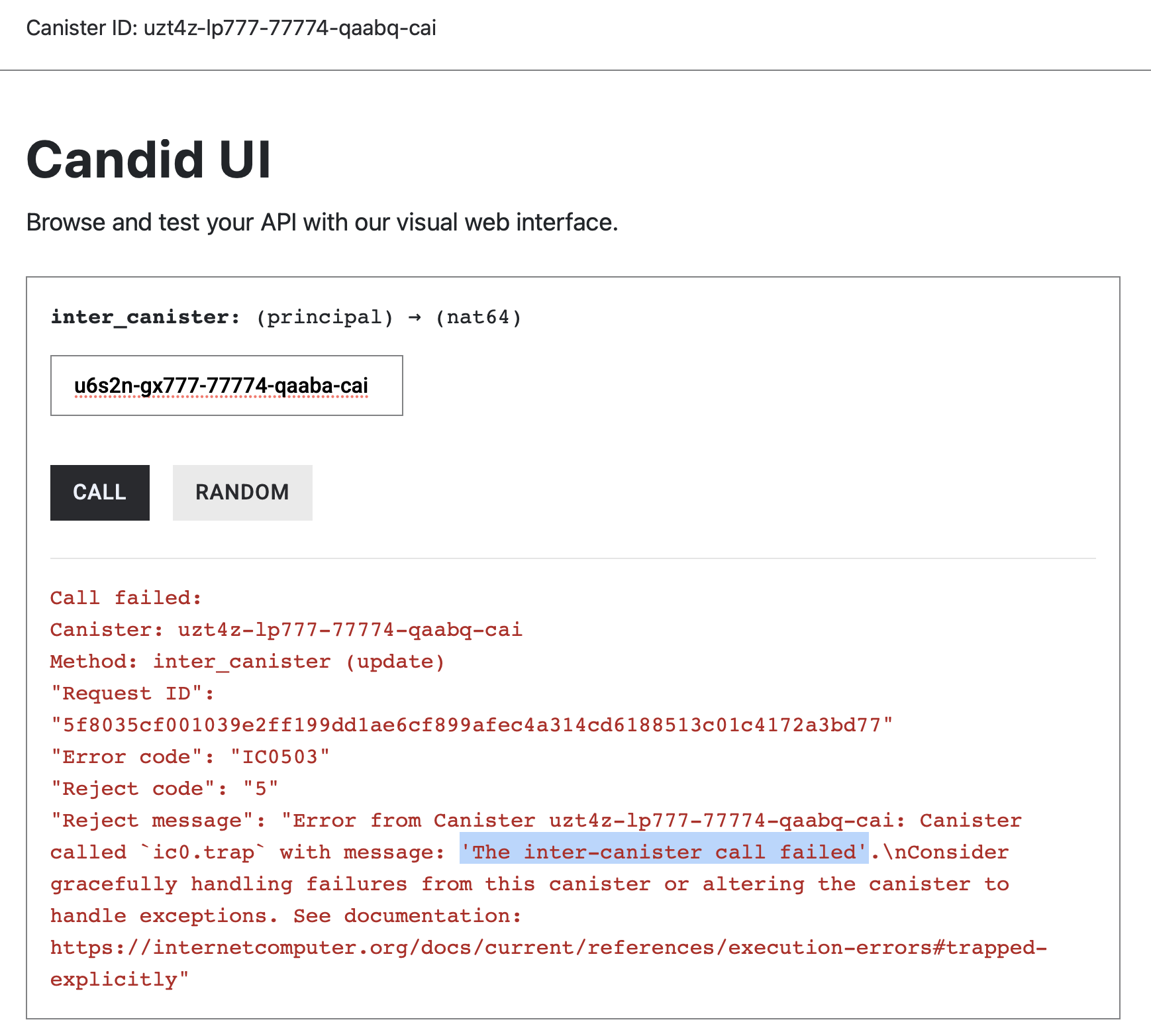
Because the argument types do not match the callee’s signature, the call traps with an error indicating that the inter-canister call failed.
Conclusion
In this article, we explored how inter-canister calls return Candid-encoded data and how to safely unwrap and decode responses using .candid::<Type>(). We saw how decoding failures arise from type mismatches and how to handle them explicitly. Finally, we learned how to pass arguments using .with_args(), reinforcing the importance of matching types on both sides of an inter-canister call.
In the next article we’ll learn when to use the unbounded_wait() or the bounded_wait() constructor when configuring your inter-canister call.