In Rust canisters, attribute macros are used to specify a function’s visibility and state-mutability.
Attribute macros are annotations written in the form #[attribute_name] (e.g., #[ic_cdk::query]). They modify or extend the behavior of items such as functions by adding metadata or triggering code generation during compilation.
Consider the boilerplate function greet() from the previous hello_world canister:
#[ic_cdk::query]
fn greet(name: String) -> String {
format!("Hello, {}!", name)
}
greet() is a publicly callable function that you can invoke from the Candid UI, dfx CLI, or by other canisters.
What makes the greet() function public is the #[ic_cdk::query] annotation:
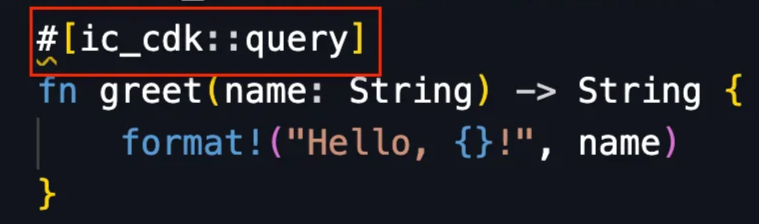
#[ic_cdk::query], specifically makes a canister function’s visibility public, and it also modifies the function’s state-mutability, which is elaborated in the next section.
Update and Query Attribute Macros
There two attribute macros that defines a canister function’s visibility and state-mutability:
-
#[ic_cdk::query]. It defines a public function with state-viewing access. Query functions can perform computations and view the canister’s state (likepublic viewin Solidity).#[ic_cdk::query] fn query_function() { // Computations // View State } -
#[ic_cdk::update]. It defines a public function with state-changing access. Update functions can perform computations and modify the canister’s state (similar to a non-viewpublicfunction in Solidity).#[ic_cdk::update] fn update_function() { // Computations // View State // Modify State }
These attribute macros are provided by the Rust ic_cdk crate (Internet Computer Canister Development Kit), which is the software development kit for developing canister in Rust.
Internal Functions (No Attribute Macros)
Functions without attribute macros remain internal, only callable from by other functions within the same canister. This is similar to declaring an internal function in Solidity.
fn internal_function {
// Perform computation
// View State
// Modify State
// Only callable from within the same canister
}
Other Solidity Function Specifier Equivalents
Solidity function specifiers such as external, private, and pure do not have an equivalent in ICP. Rust canisters also do not support inheritance, so virtual and override don’t apply either. Special cases like a constructor and payable are handled differently and will be covered later.
In the next section we’ll create introduce a new function to our hello_world canister and test it out on the local IC instance.
Sum of Two
The canister function, sum(), below takes two u8 integer arguments and returns their sum.
fn sum(a: u8, b: u8) -> u8 {
let total = a + b;
return total;
}
sum() above is an internal function that can only be called from within the canister because it doesn’t have any attribute macro.
To make sum() externally callable, add the query attribute macro — #[ic_cdk::query] — above the function.
#[ic_cdk::query] // query attribute macro added
fn sum(a: u8, b: u8) -> u8 {
return a + b;
}
Because the query attribute macro is used, sum() is constrained to viewing the canister’s state. Query functions cannot modify the canister’s state. If the update attribute macro was used instead, sum() would also have state-changing permission.
Let’s deploy a canister with the sum() and pass arguments to it using dfx CLI or the Candid UI.
New canister function sum()
Within the hello_world canister, insert sum() like so:
#[ic_cdk::query]
fn greet(name: String) -> String {
format!("Hello, {}!", name)
}
// New canister function
#[ic_cdk::query]
fn sum(a: u8, b: u8) -> u8 {
return a + b;
}
Make sure that there is a running local IC instance. Use the command dfx start in a new terminal.
dfx start
Deploy the hello_world canister using the dfx deploy command.
dfx deploy
After the canister is deployed open the candid interface using the link provided in the terminal. You would notice that sum() is absent from the Candid UI:
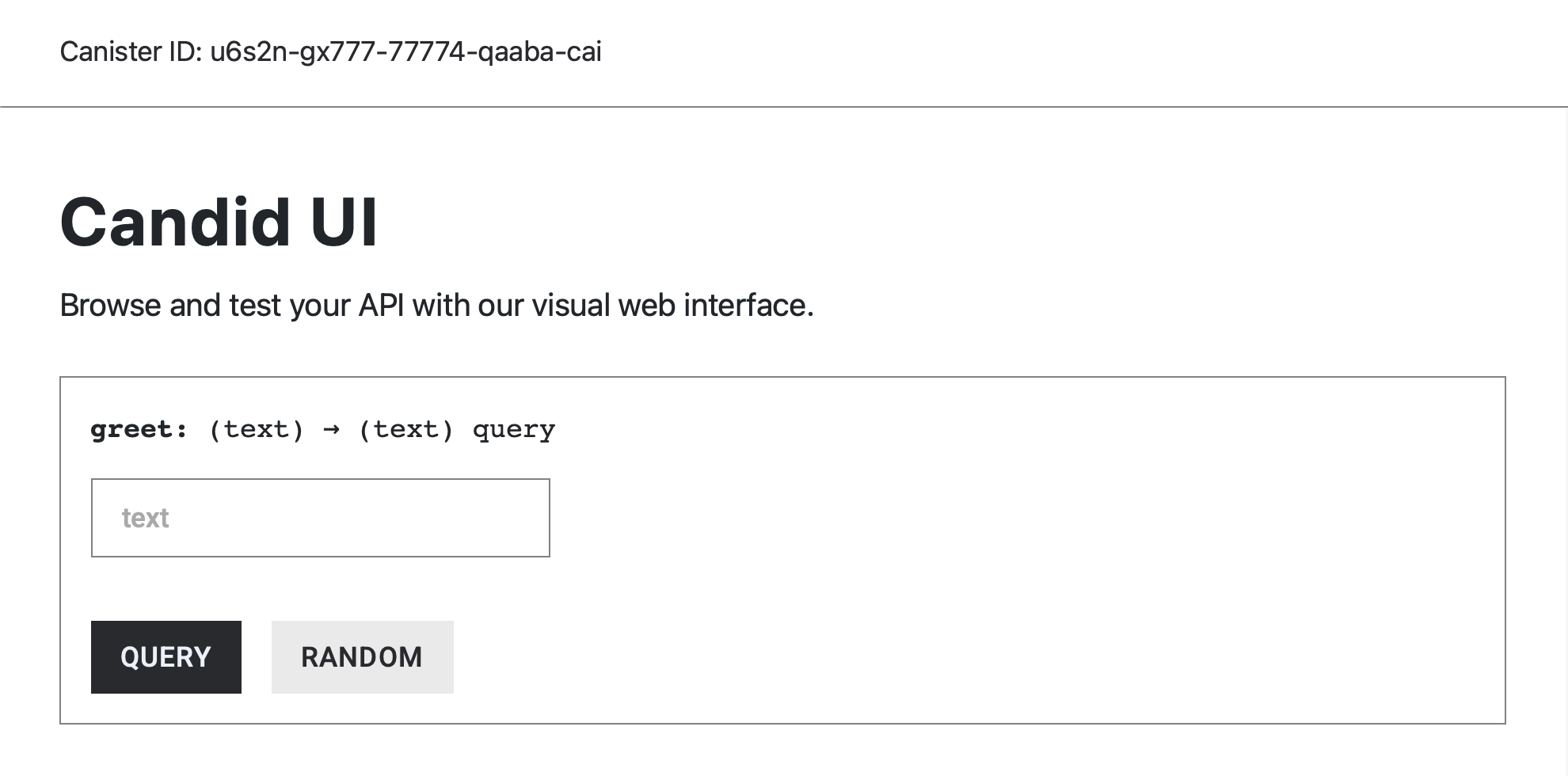
And sum() fails to be called from the dfx CLI:
dfx canister call hello_world_backend sum
You’ll get the following error message:
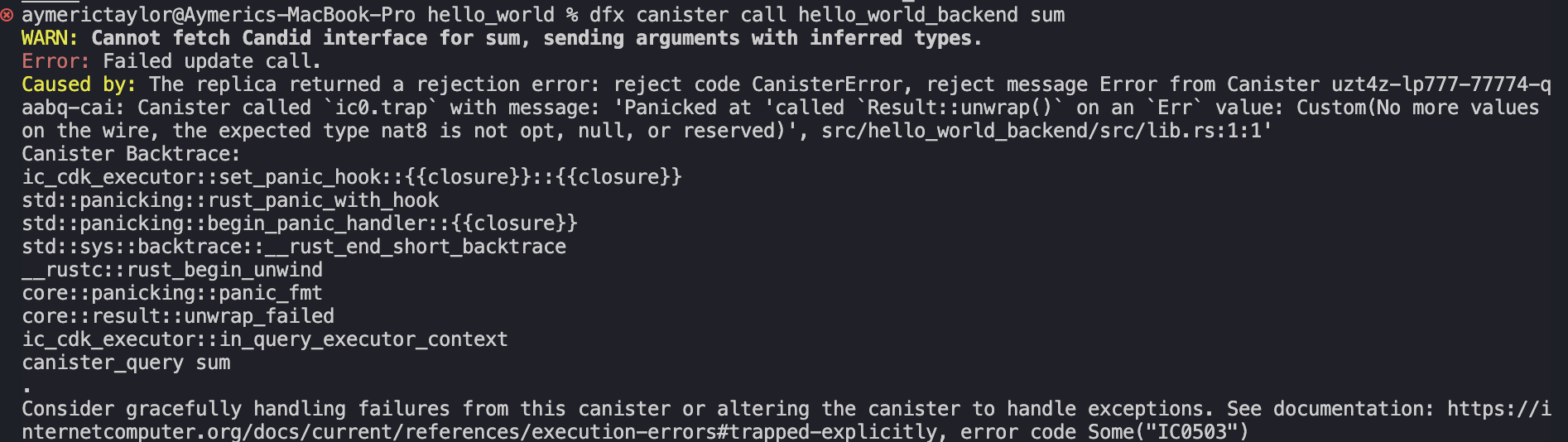
The issues above occur because the interface for newly added functions are not automatically generated when we deploy a canister in dfx. Therefore, dfx CLI and Candid UI cannot give you an simple UI and UX for interfacing with it.
To fix this, we would need to tell dfx that hello_world canister has a query function called sum(), and specify how to interface with it. This is done through the Candid Interface file, which is analogous to the ABI Interface in Solidity.
The Candid Interface File In dfx
Just as the ABI interface defines how to interact with Ethereum contract functions, the Candid Interface defines how one can interact with ICP canister functions. ****
Inside your project directory, the Candid interface for the hello_world canister is located in the src/hello_world_backend/hello_world_backend.did file. Navigate to this file to view or edit the interface.
hello_world/
├── src/
│ └── hello_world_backend/
│ └── **hello_world_backend.did**
Currently, hello_world_backend.did only contains the interface for the boilerplate greet() function. It is missing sum()’s candid interface.
service : {
"greet": (text) -> (text) query;
}
We’ll need to add sum()’s interface so that dfx knows that:
- The
hello_worldcanister has a function calledsum(). - How to call
sum()—including how to encode the arguments and decode the response.
~~dfx does not automatically update the Candid Interface file for Rust canisters. Therefore, we need to manually register sum()'s Candid Interface at the hello_world_backend.did file.~~
How To Generate The Candid Interface For Rust Canisters
To generate the correct .did file with the sum() function, we first need to insert the ic_cdk::export_candid!(); macro at the end of the lib.rs file**.**
#[ic_cdk::query]
fn sum(a: u8, b: u8) -> u8 {
return a + b;
}
#[ic_cdk::query]
fn greet(name: String) -> String {
format!("Hello, {}!", name)
}
// Enable Candid export
ic_cdk::export_candid!();
Next, install the following tools:
candid-extractor, a library that automatically generates the candid interface for Rust canister functions.generate-did, a tool that automates the.didfile generation.
cargo install candid-extractor
cargo install generate-did
Once the tools above are installed, we can run the command below to generate the correct .did file.
generate-did <canister_name>
The canister’s name is simply the “project_name” + “_backend". In our case it’s hello_world_backend.
Run the command below after installing the tools to generate to generate sum()’s candid interface.
generate-did hello_world_backend

Open hello_world_backend.did again, it should now include sum().
service : {
greet: (text) -> (text) query;
sum : (nat8, nat8) -> (nat8) query;
}
For now, we’ll ignore what nat8 or text is. These data types are specific to ICP’s Candid Interface Description Language.
Deploy the canister again. sum() is now callable through the Candid UI and dfx CLI:
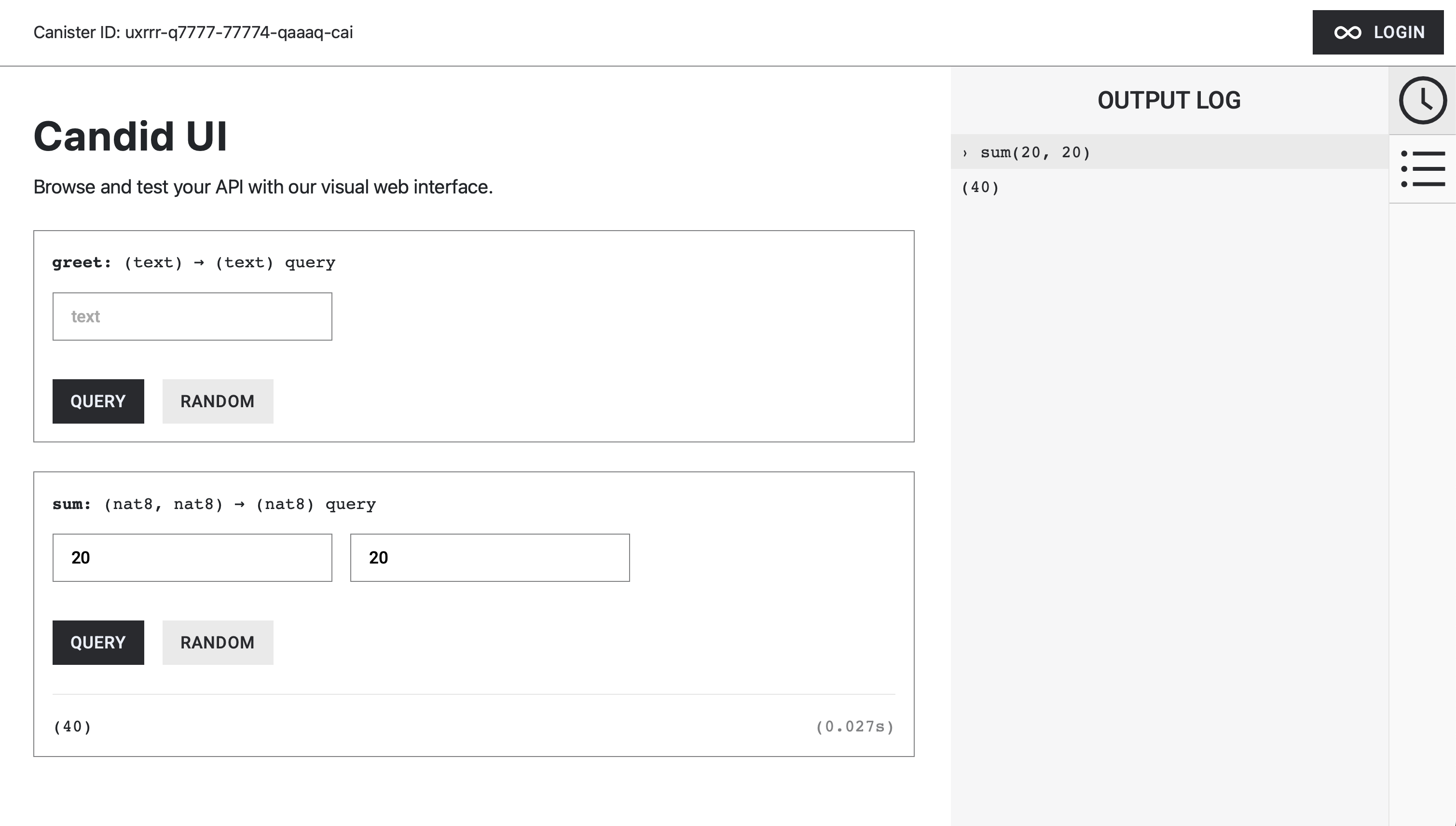
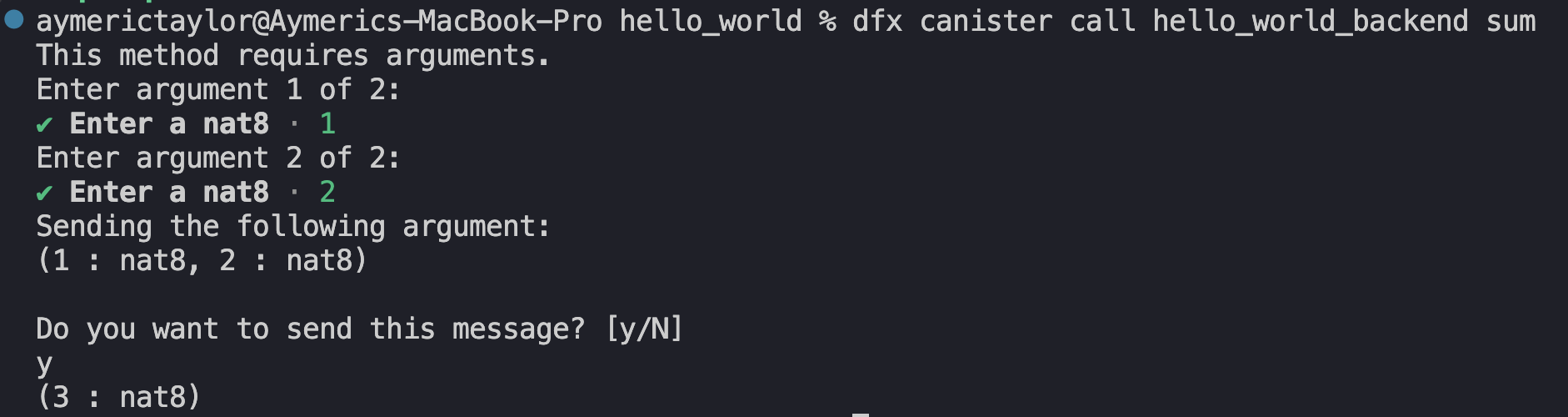
The candid-extractor and generate-did tool only needs to be installed once. After that, you can use generate-did <canister_name> for any other future Rust canister projects as long as you have ic_cdk::export_candid!() declared in lib.rs.
Wrapping Up
To summarize, canister functions are either:
- public with state-view permission:
#[ic_cdk::query]. - public with state-changing permission:
#[ic_cdk::update]. - or internal (no attribute macros).
Also, anytime we make changes to the canister’s functions, we’ll need to run generate-did <Canister-name> to update the Candid Interface file.
Query functions and internal functions have been covered in this tutorial. We’ll discusses state changing functions — functions annotated with #[ic_cdk::update]— along with state variables in the next article.