In this tutorial, we’ll simulate ICP tokens on our local IC replica and transfer them using both the dfx CLI and the ICP JavaScript Agent.
The network’s native token, ICP, is implemented similarly to an ERC-20 token. Balances and transfers are managed by a system canister called the ICP Ledger. This ledger is part of the Network Nervous System (NNS), a set of core system canisters built into the protocol.
On both local the IC instance and mainnet, the ICP Ledger has the same canister ID: ryjl3-tyaaa-aaaaa-aaaba-cai.
By default, a local replica doesn’t start with the NNS. So to test ICP token transfers locally, we need to start dfx with the NNS enabled.
Set up the NNS Locally
To initialize our local IC instance with the NNS system canisters, add the —system-canister flag to our dfx start command.
dfx start --system-canisters --clean --background
- The
--cleanflag clears any existing local state before starting (fresh local replica). - The
--backgroundflag runs the local replica in the background so your terminal is free for other commands.
Within the localnet, the anonymous principal is automatically minted with 1 Billion ICP Tokens. (At time of writing 1 ICP = $3.23. So 1 billion ICP equals 3.23 billion dollars).
On the mainnet however, you would need to initially get ICP from a CEX or a friend.
The Anonymous Principal is minted with 1 Billion ICP Tokens
To start sending ICP tokens out, we’ll first need to tell dfx to use the anonymous identity.
Switch dfx Identities to the anonymous principal
The command below tells dfx to use anonymous identity. Which just means that the transaction is unsigned (no public/private key pair).
dfx identity use anonymous
The dfx identity use <identity_name> command is used to alter between identities saved in dfx. You can see the list of identities that dfx saves using the dfx identity list command.
Confirm that you are using the anonymous principal. Unsigned transactions are identified by the principal: 2vxsx-fae.
dfx identity get-principal

Check anonymous’ ICP Balance
To check the balance of the anonymous identity, run
dfx ledger balance

ICP Ledger Transfer() function
To transfer ICP Tokens, we would be calling the transfer() function of the ICP Ledger Canister. It takes the following required arguments:
| Field | Type | Explanation |
|---|---|---|
To |
account_identifier |
The recipient’s Account Identifier. |
Amount |
u64 |
Amount to transfer in e8s (smallest ICP unit). 100_000_000 e8s = 1 ICP. |
Fee |
u64 |
Fixed ledger transaction fee in e8s: 10_000 e8s (0.0001 ICP). |
Paid by the sender in addition to Amount. |
| Memo | u64 | An arbitrary user defined u64 number.
Used as the unique identifier of the transaction to prevent transaction deduplication. |
ICP transfers are directed to account identifiers, not principals.
Transfers are directed to Account Identifiers
To save memory, the ICP Ledger hashes Principals into a 32-byte hash called the account identifier, reducing storage requirements by ~50%.
The general formula for computing the account_id from the principal is
accountId = hash(principal, subaccount)
Here, the subaccount acts like a salt. By changing the subaccount value, you derive different account IDs that are all tied to the same principal that is still under your control
accountId1 = hash(principal, null)
accountId2 = hash(principal, 2)
We can query the default account identifier for genesis (null value for subaccount) using dfx
dfx ledger account-id

anonymous would have the default account identifier of: 1c7a48ba6a562aa9eaa2481a9049cdf0433b9738c992d698c31d8abf89cadc79
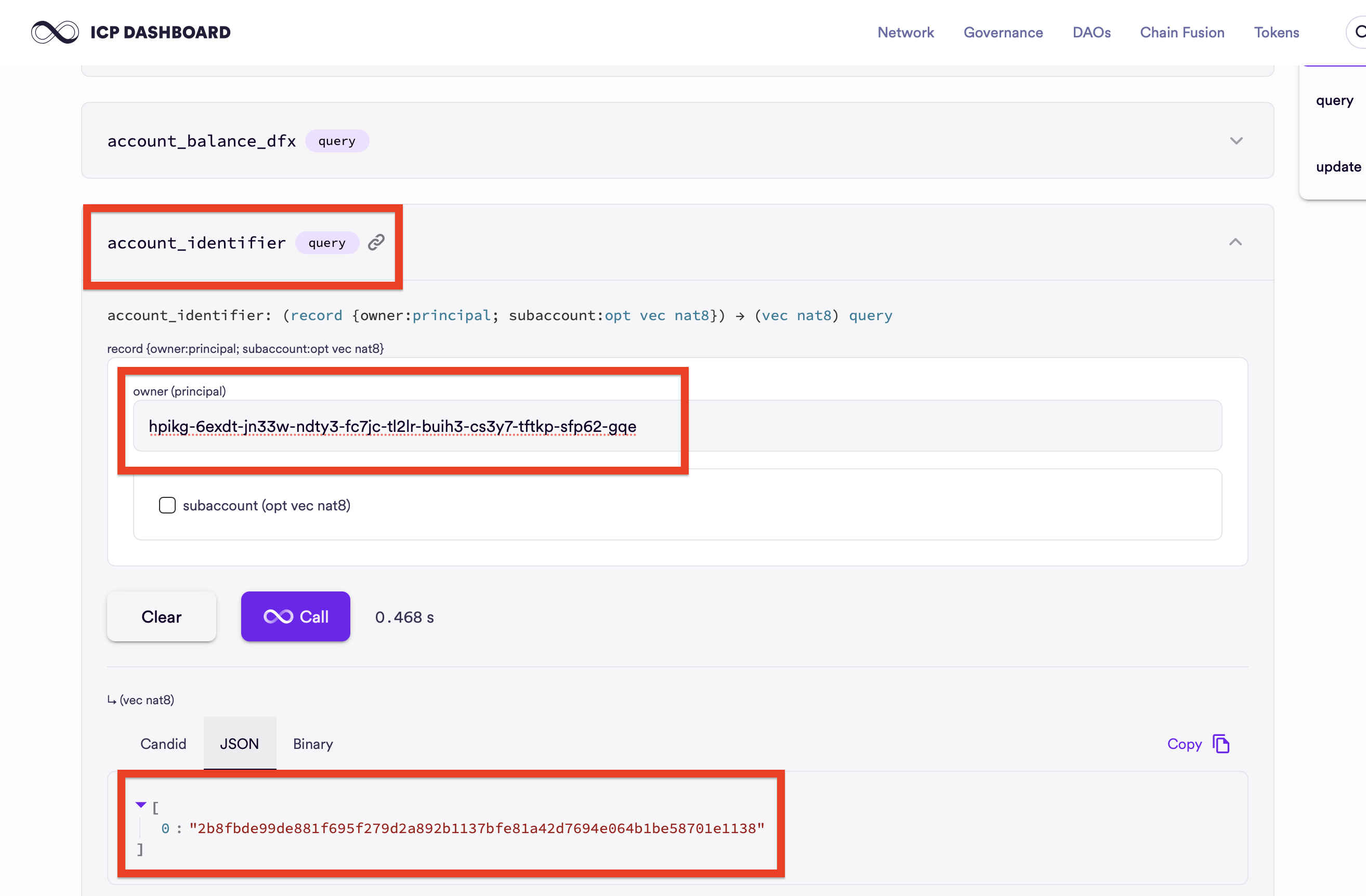
Optionally, you could also compute for the account_id of a principal through calling the account_identifier() function on NNS ICP Ledger dashboard. dfx abstracts this function call for you.
Transfer ICP through dfx
We’ll transfer 5 ICP from anonymous to a random identity. Let’s call him Bob.
Bob has a user principal of:
ncgnw-oidst-l5kdp-3go53-cegtn-aql23-ync6p-himc7-gm6w7-3s2tw-xae.
His default account-id would be:
5dbfde09991c7a6d3f5208df7328e7ea54109ee3b63fcc4bc1e44de020ec2b8a.
The default Fee is fixed at 10_000 e8s and we’ll set the memo to 12345.
In summary the transfer to Bob would have the following parameters:
To:ncgnw-oidst-l5kdp-3go53-cegtn-aql23-ync6p-himc7-gm6w7-3s2tw-xaeAmount:500_000_000Fee:10_000memo:12345
Using dfx’s built in ledger transfer function,
dfx ledger transfer <recipient's account identifer> --icp <ICP amount> --memo <arbitrary number>
Replace the details from above.
dfx ledger transfer be3d302a9fcb6da93418f33bfc85b6d58c6b11d4670df736326257d13321191a --e8s 500000000 --memo 12345
A successful output should indicate the block which your transaction proof is stored at.

Transfer ICP using ICP Javascript Agent
Install the necessary dependencies to use the Agent JS. Since the anonymous account is an unsigned transaction, we do not have to import a private key.
-
Create a new folder called
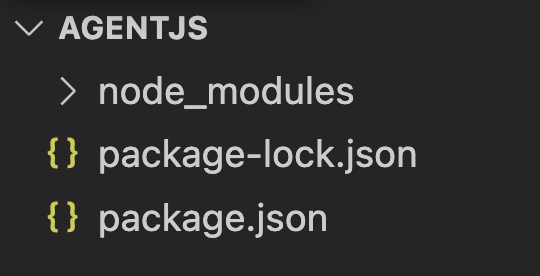
AgentJs. In that folder directory, run the following commands:npm init -y npm i --save @dfinity/agent npm i @dfinity/identity-secp256k1Your folder directory should look like this:
-
Create a new file called
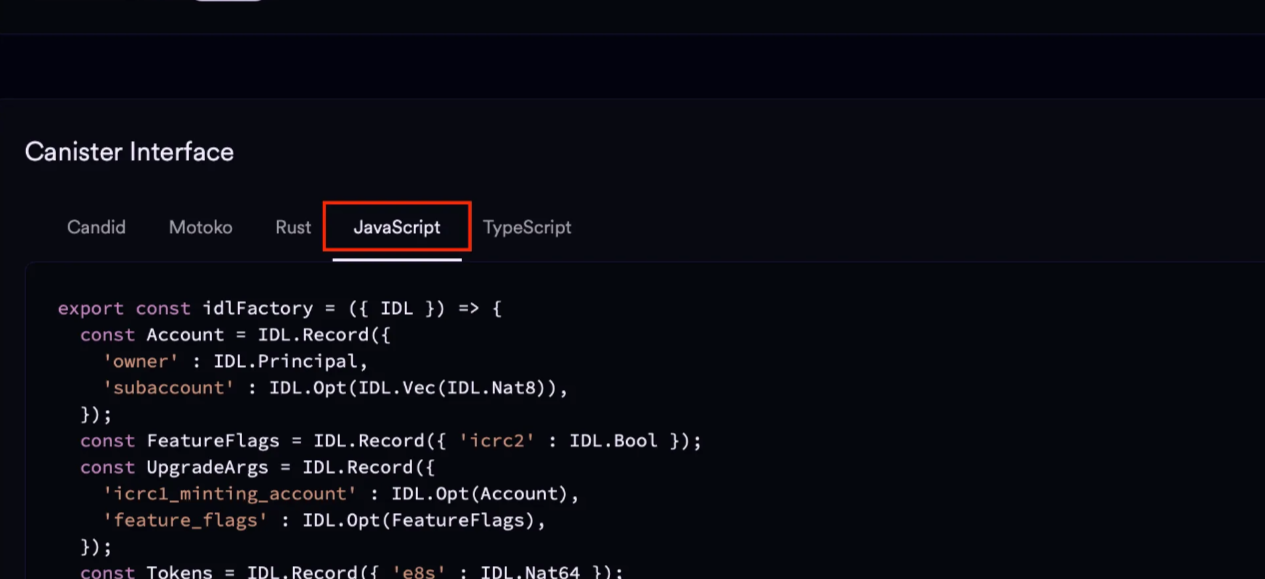
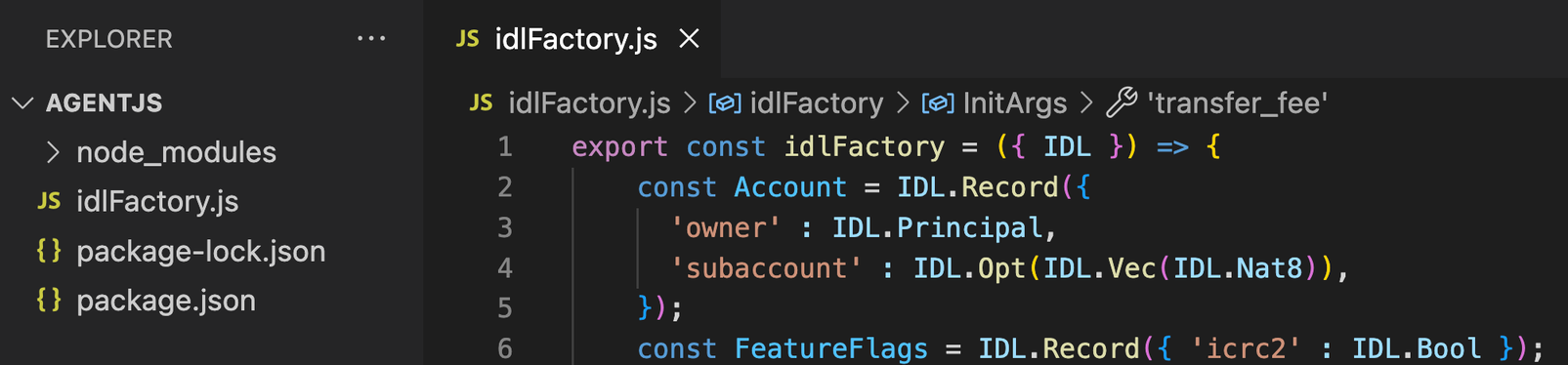
idlFactory.jsand paste the JavaScript representation of the ICP Ledger’s Candid interface into it. This Candid interface can be found at the bottom of the ICP Ledger canister page.
The Candid interface serves the same purpose as a contract ABI in Ethereum. It describes all the methods exposed by the canister along with their input and output types, allowing the JavaScript Agent to correctly encode requests and decode responses when interacting with the ICP Ledger.
Your folder should look similar to this:
-
Within the 📁AgentJS folder, create a new file called
agentScript.jsand import the modules:import { Secp256k1KeyIdentity } from '@dfinity/identity-secp256k1'; import { HttpAgent, Actor } from "@dfinity/agent"; import { Principal } from "@dfinity/principal"; import { idlFactory } from "./idlFactory.js"; import fs from 'fs';
From now on, the following codes will be added to agentScript.js
-
Create an agent instance. (This is similar to creating a “wallet” instance in Ethers.js.)
// Imported Libraries... // Create agent const agent = await HttpAgent.create({ host: "http://127.0.0.1:4943", // connect to the local host fetch, }); await agent.fetchRootKey(); console.log("🌐 Agent ready."); -
Declare the ICP Ledger Canister instance, or in ICP terms,
Actor. Canister instances are referred to asActorsin ICP:// previous code... // Ledger canister ID and actor creation const ledgerCanisterId = "ryjl3-tyaaa-aaaaa-aaaba-cai"; const actor = Actor.createActor(idlFactory, { agent, canisterId: ledgerCanisterId, }); console.log("📦 Actor created."); -
Build the transaction data:
// previous code... // Target Receiver Principal const receiverPrincipalStr = "jvjbz-wuejr-a6thn-gkzt4-ybkfq-slmbo-2w3ku-kgnjf-pg6x7-xxfqs-vae"; const ReceiverPrincipal = Principal.fromText(receiverPrincipalStr); const account = { owner: ReceiverPrincipal, subaccount: [] }; const accountId = await actor.account_identifier(account); console.log("🔑 Resolved accountId:", accountId); // Prepare transfer const TransferArgs = { to: accountId, fee: { e8s: BigInt(10_000) }, memo: BigInt(0), from_subaccount: [], created_at_time: [], amount: { e8s: BigInt(1_00_000_000) }, }; -
Sign and Send the transaction:
With the transfer arguments prepared, we can now submit the transaction to the ICP Ledger canister. The Agent handles request signing (or leaves it unsigned for anonymous calls) and sends the message to the network.
Add the following code to agentScript.js:
```jsx
// previous code ...
try {
    const result = await actor.transfer(TransferArgs);
    console.log("Transfer result:", result);
} catch (error) {
    console.error("Error :", error);
}
```
Now run the script from the AgentJS directory:
node agentScript.js
If the transaction is successful, the Ledger returns a Result type containing the block index where the transfer was recorded. For example:

The value 15n represents the ledger block height that contains your transaction. Every ICP transfer is immutably recorded in a block, and this index can be used to independently verify the transaction.
Verify the ICP Token Transaction
Every successful ICP transfer is permanently recorded by the ICP Ledger canister. When a transfer completes, the Ledger returns the block index where the transaction was stored. This block index acts as a verifiable receipt for the transaction.
In the previous step, our transfer returned:
Ok: 15n
This tells us that the transaction was included in block 15 of the ledger. We can now independently verify the transfer by querying this block directly from the Ledger.
Note: The exact block index may vary between runs. Depending on prior transactions in your local replica, you might see values like Ok: 3n, Ok: 5n, or any other block number. What matters is that the value represents the ledger block index where your transaction was recorded.
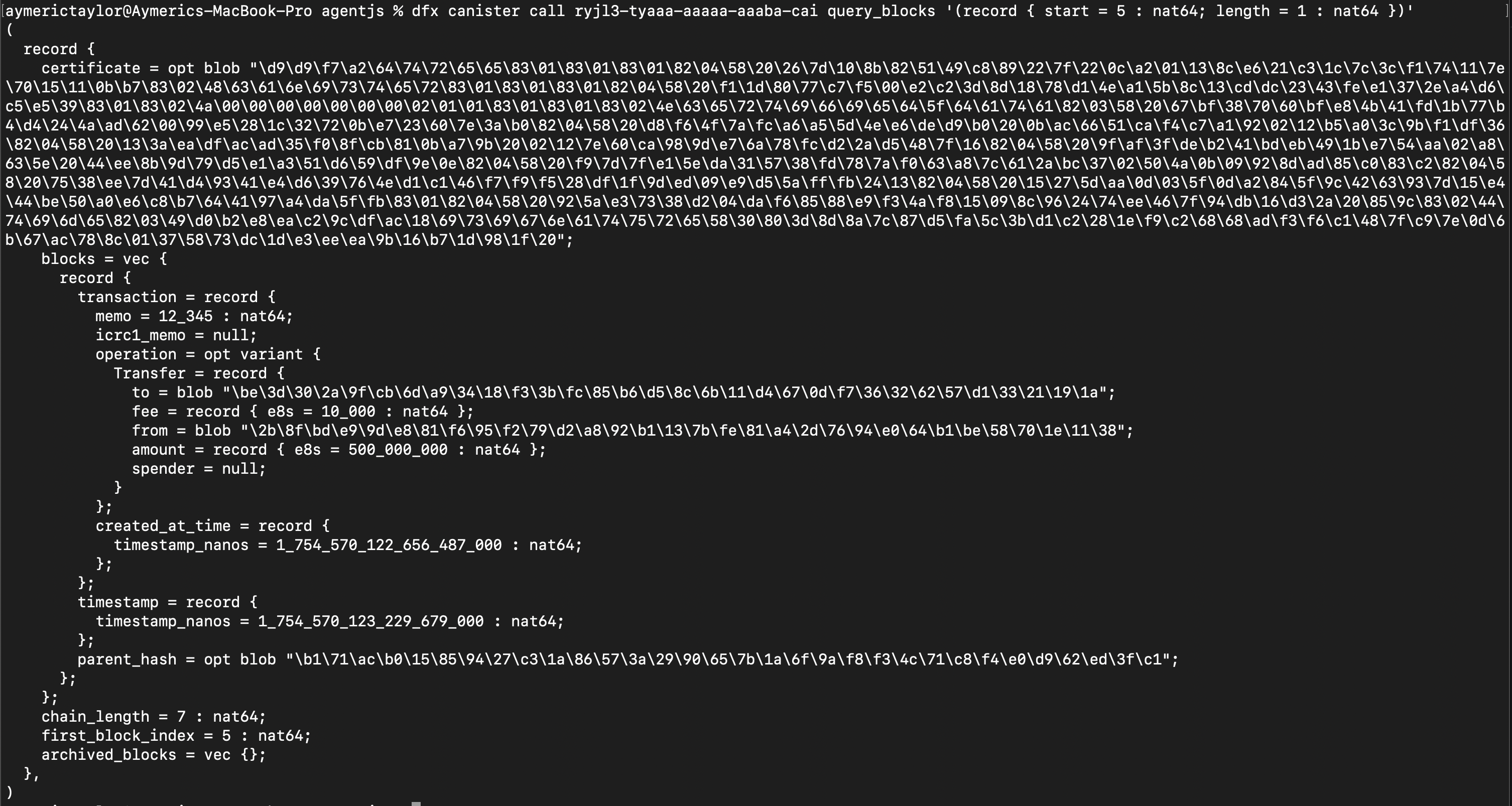
The ICP Ledger exposes a query_blocks method that allows us to fetch ledger entries by block range. To retrieve the block containing our transaction, run:
dfx canister call ryjl3-tyaaa-aaaaa-aaaba-cai query_blocks '(record { start = 15 : nat64; length = 1 : nat64 })'
Note: change the block number in start = NUMBER to the block number that you obtained.
A successful response will include the full transaction record stored in that block.
We can perform the same verification programmatically using the JavaScript Agent. This is useful when building applications that need to track or confirm transactions without relying on the CLI.
Add the following code to agentScript.js:
const blockHeight = BigInt(5);
const block = await actor.block(blockHeight);
console.log("Block at height 5:", block);
This queries the Ledger for the exact block that contains our transfer.
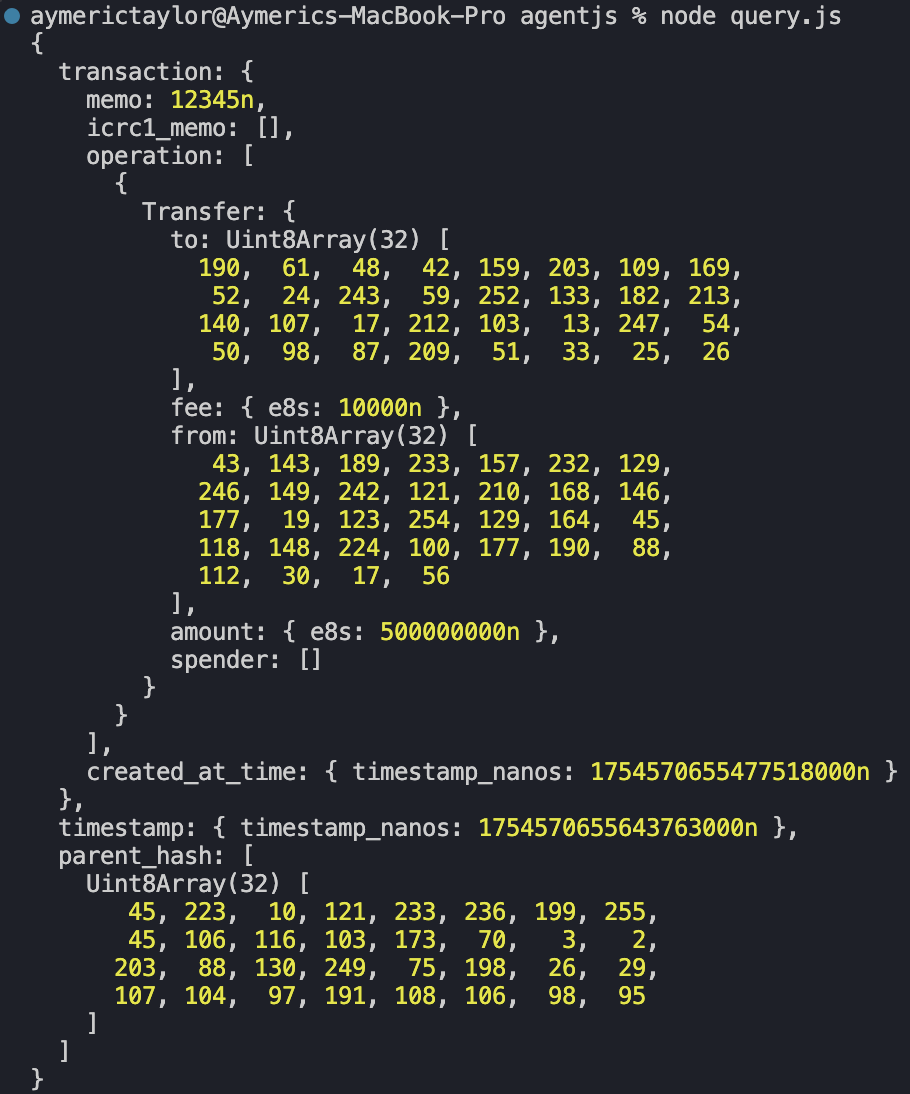
Your transaction details are recorded at the canister, including timestamp, sender, recipient, amount, memo, and fees.
The result confirms:
- Our unique memo:
12345 - The Recipient:
5dbfde09991c7a6d3f5208df7328e7ea54109ee3b63fcc4bc1e44de020ec2b8a - The amount sent:
500_000_000 e8s=5 ICP - The memo:
12345 - The block index:
5
This matches the earlier command:
dfx ledger transfer ae6e1a76da5725bbbf0c5c035aaf0525b791e0f0f7cce27d8e27826389871406 --icp 5 --memo 12345
Note: The blocks that are queried are information that is stored on the canister-level since the protocol doesn’t have an Solidity event-like functionality.
ICP tokens are used for protocol-level governance voting, store of value and rewarding validators. However, they are not used for paying gas fees, another native token, Cycles, is used instead. The next article discusses the gas model and Cycles token of the Internet Computer Protocol.